 DayHeart
UA
RU
Open
DayHeart
UA
RU
Open
Home › Study: classes and homework
Class schedule and homework
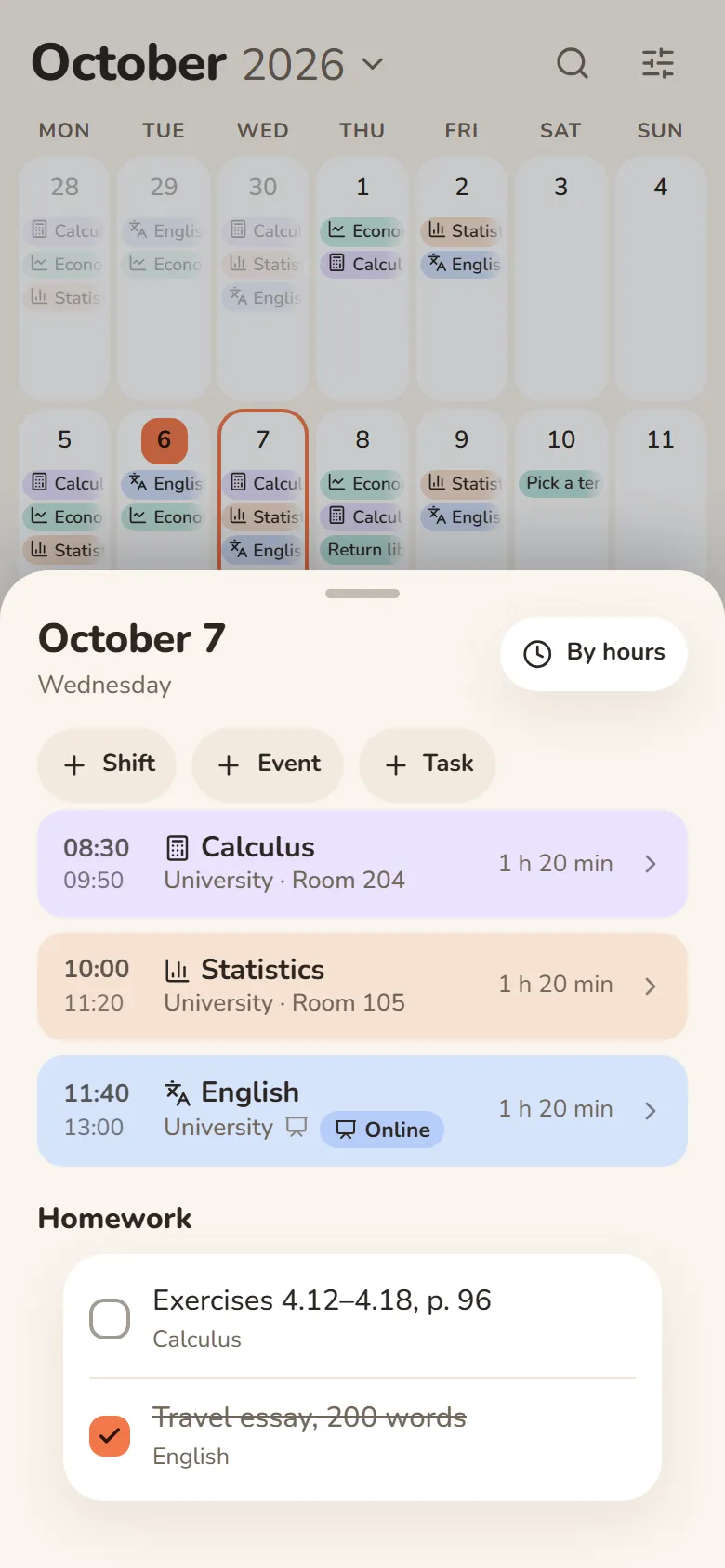
Put your classes on the calendar — with the room, a lecture link and homework. You can keep the schedule together with your classmates.
Free · No sign-up needed · English, Ukrainian and Russian
How to start
Add a study place
University, college or a course — a study place goes in Shifts, next to your job.
Add classes
Subject, time and room. Put classes on the calendar day by day with “Mark”, or for the whole term at once in “Place shifts” with weekdays.
Write down homework
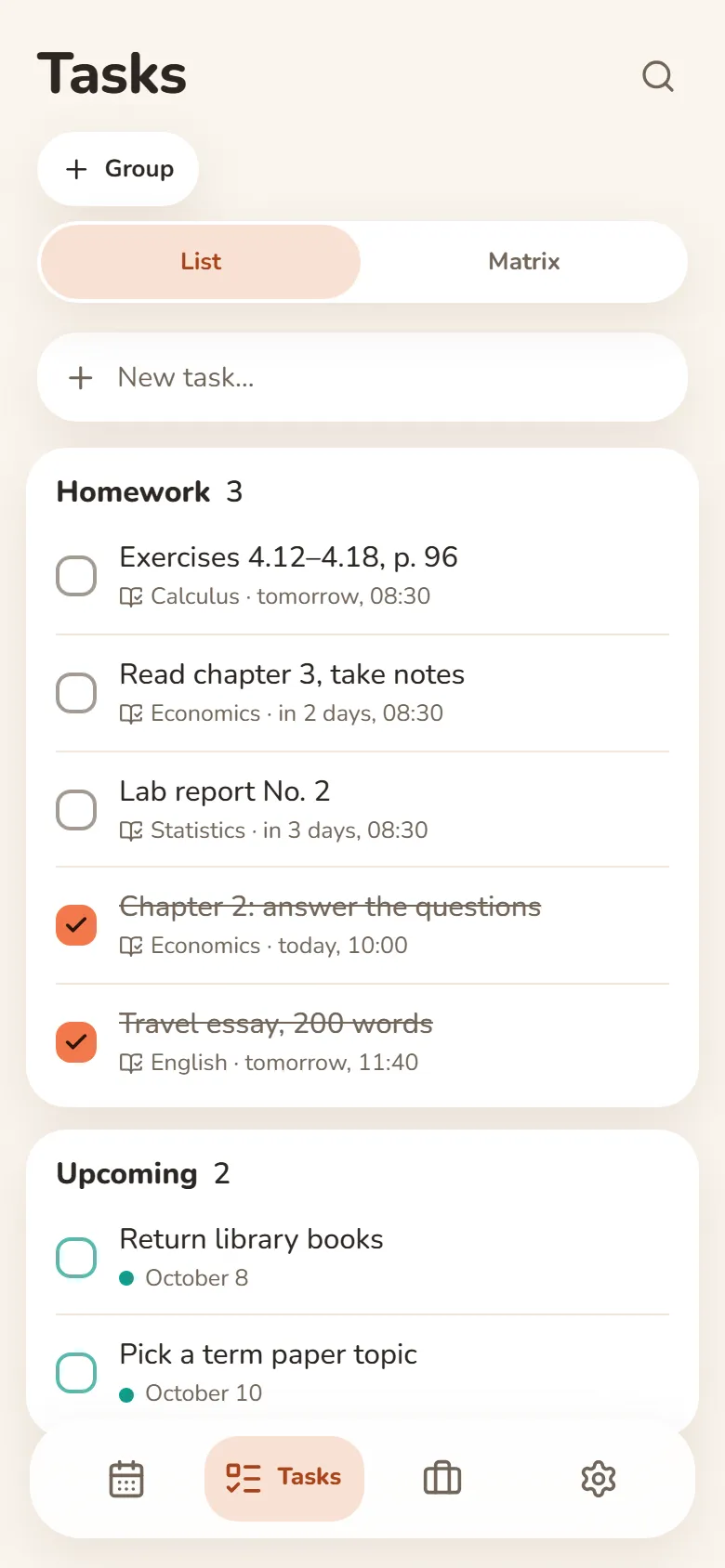
Homework lives right in the class, with a “Homework done” mark. It shows up in Tasks on the day of the class, the day before or 3 days before — whatever suits you.
Invite your group
Make the place shared and send the link: everyone gets one schedule and anyone can edit it. “Done” marks, reminders and notes stay personal.
What else it does
Lecture links
Turn them on for the place and classes get “Open lecture” and an “Online” button: the lecture opens in one tap.
Class reminders
In Telegram. For online classes — 5 minutes before or right at the start, with the lecture link.
Shared place
Up to 50 people. The bot can send a digest of what others changed.
Study and work together
Classes and shifts on one calendar.
Questions and answers
How much does it cost?
It’s free, and you can use it without signing up. To keep a shared schedule with your group, sign in with Telegram or Google.
Will classmates see my marks?
No. “Done” marks, reminders and notes are personal; only classes, homework and links are shared.
Can I schedule classes for the whole term?
Yes: “Place shifts” puts a class on the chosen weekdays for any period. A class can also repeat.