 DayHeart
Home › Guide: work
Work in DayHeart: shifts, earnings, schedule
For shift workers and their coworkers: what the Shifts tab has, how to set up your schedule in five minutes, and how the app adds up hours and pay for you.
Free · No sign-up needed · 24 languages
Why it helps
Pay adds itself up
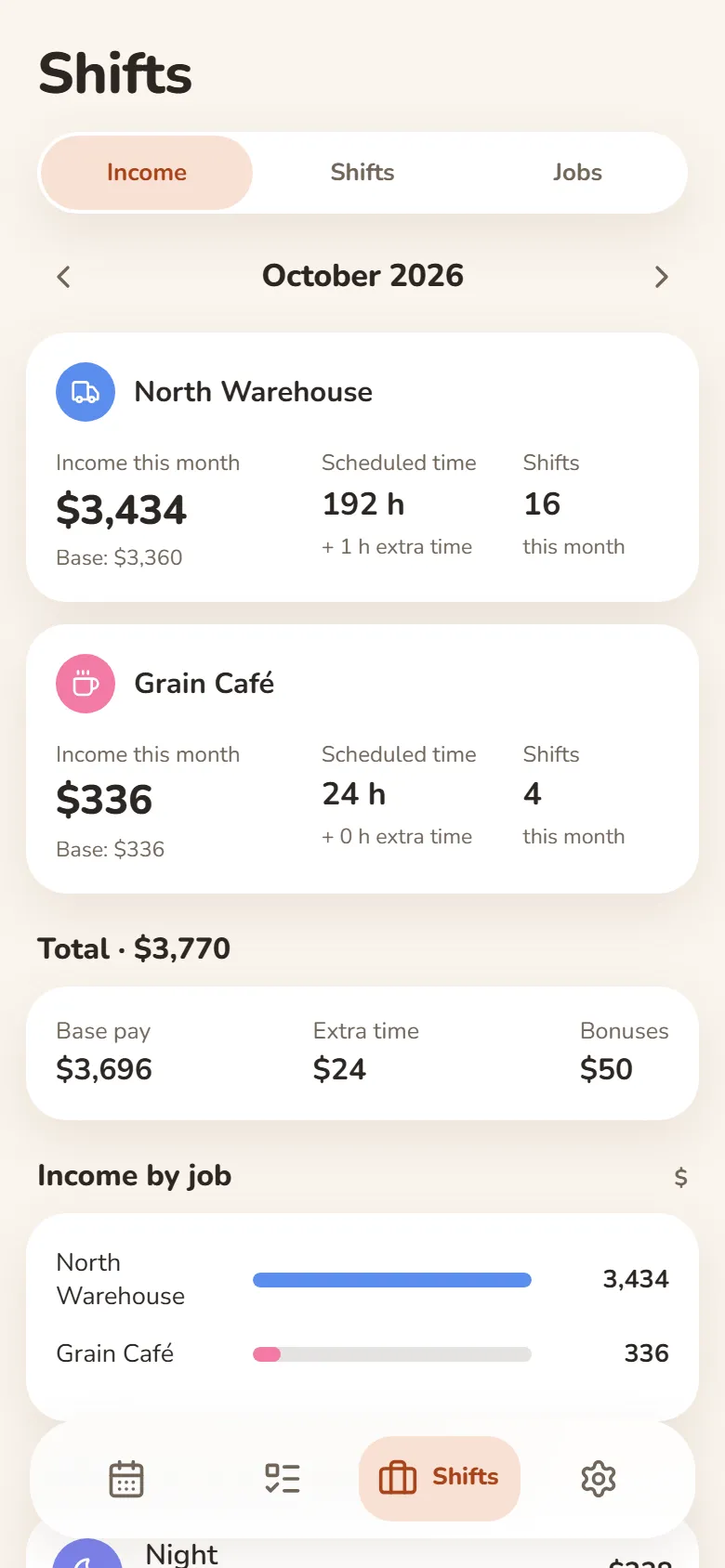
Rate, breaks, extra pay and bonuses are counted: each month shows hours, shifts and the total for every job.
Your schedule at hand
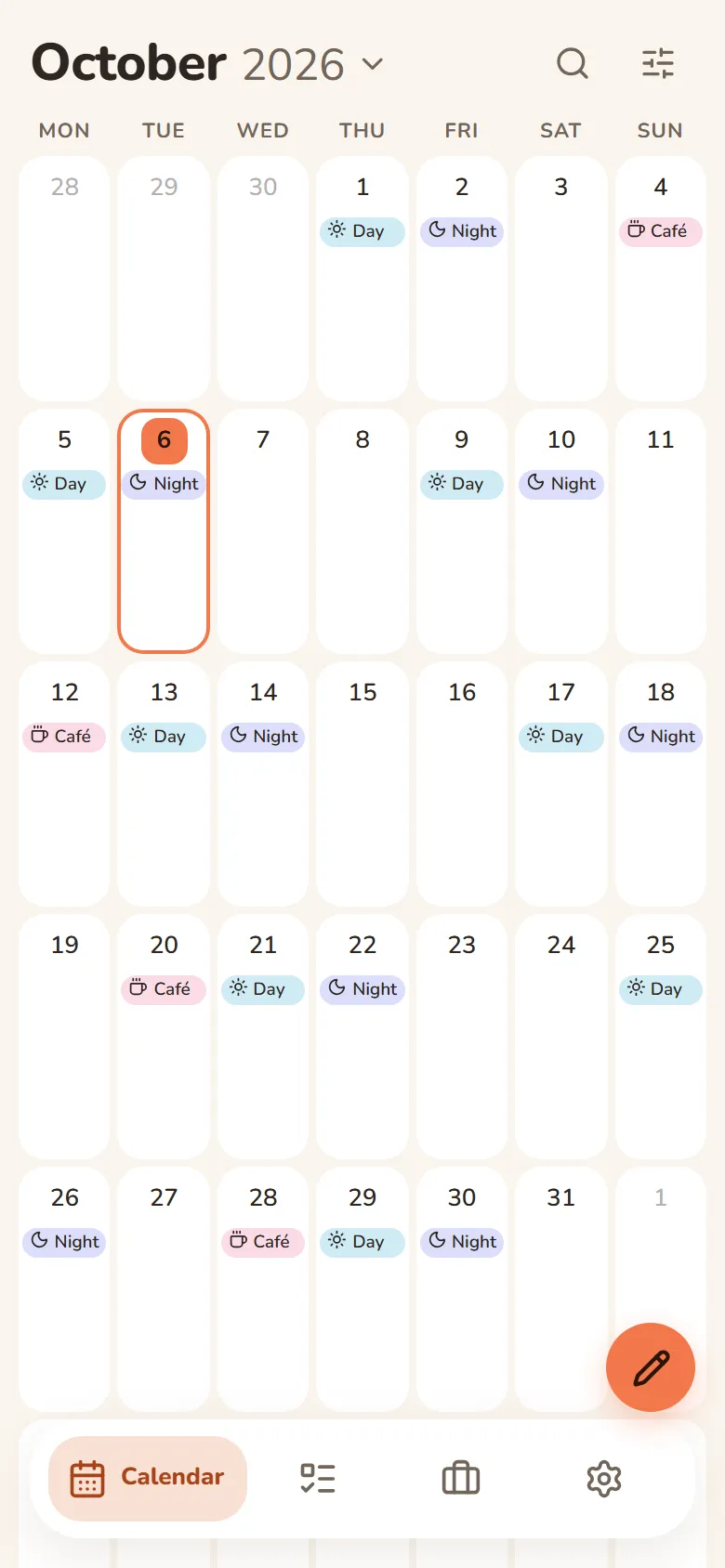
Shifts sit in the calendar next to your tasks, in your phone calendar and on a printout for the month or the year.
Several jobs, no mix-ups
Each job has its own rate and colour, and clashes are easy to spot.
How to turn it on
Open it
dayheart.app in your browser or @dayheartbot in Telegram — nothing to install.
Turn on Shifts
On first launch, tick Shifts. If the app is already open — Settings → Tab bar: the Shifts tab appears at the bottom.
Add a job
Shifts → Jobs → Add job: a name and an hourly rate and, if you like, breaks, extra pay and bonuses.
Place your shifts
Pick a shift, weekdays and a period, or a repeat like “2 on, 2 off”. Sign in with Telegram or Google and your schedule is on your phone and computer.
Shifts, earnings, schedule
The Shifts tab: Income; Shifts — ready shifts and placing; Jobs — your jobs and rates.
Jobs and rates
Each job has its own hourly rate, breaks, extra pay and bonuses. You can have several jobs.
Place shifts
Pick a shift, weekdays and a period — or a repeat like “2 on, 2 off” or “5/2”. One at a time — with Mark: tap the days.
Income
Hours and pay for the month and the year add up automatically — per job and in total. Export a month of shifts to Excel.
Print the schedule
A month or a year on paper or as a PDF — for the fridge or for your manager.
Phone calendar
Shifts as a subscription in your phone calendar (Google, Apple, Outlook) — visible even without DayHeart.
Reminders
A Telegram message an hour before a shift. A friend you allow sees your shift names and times — your pay stays private.
Questions and answers
Is it free?
Yes. You can use it without signing up; sign in with Telegram or Google and your schedule is on all your devices.
Who sees my earnings?
Only you. A friend you allow sees your shift names and times — the amounts stay with you.
Does it work offline?
Yes: entries are stored on your device and sync with your account when you’re back online.
What if I study too?
Turn on the Study tab as well: classes and shifts share one calendar, so clashes are easy to spot. How to set up study — in the study guide.
Other sections
Shifts and earningsStudy: classes and homeworkHabits and moodStudy and workWhat is DayHeartDayHeart in TelegramOne app instead of fourGuide: studyShift pay calculatorShift schedule makerHome