 DayHeart
UA
RU
Open
DayHeart
UA
RU
Open
Home › Study and work
Classes and shifts on one calendar
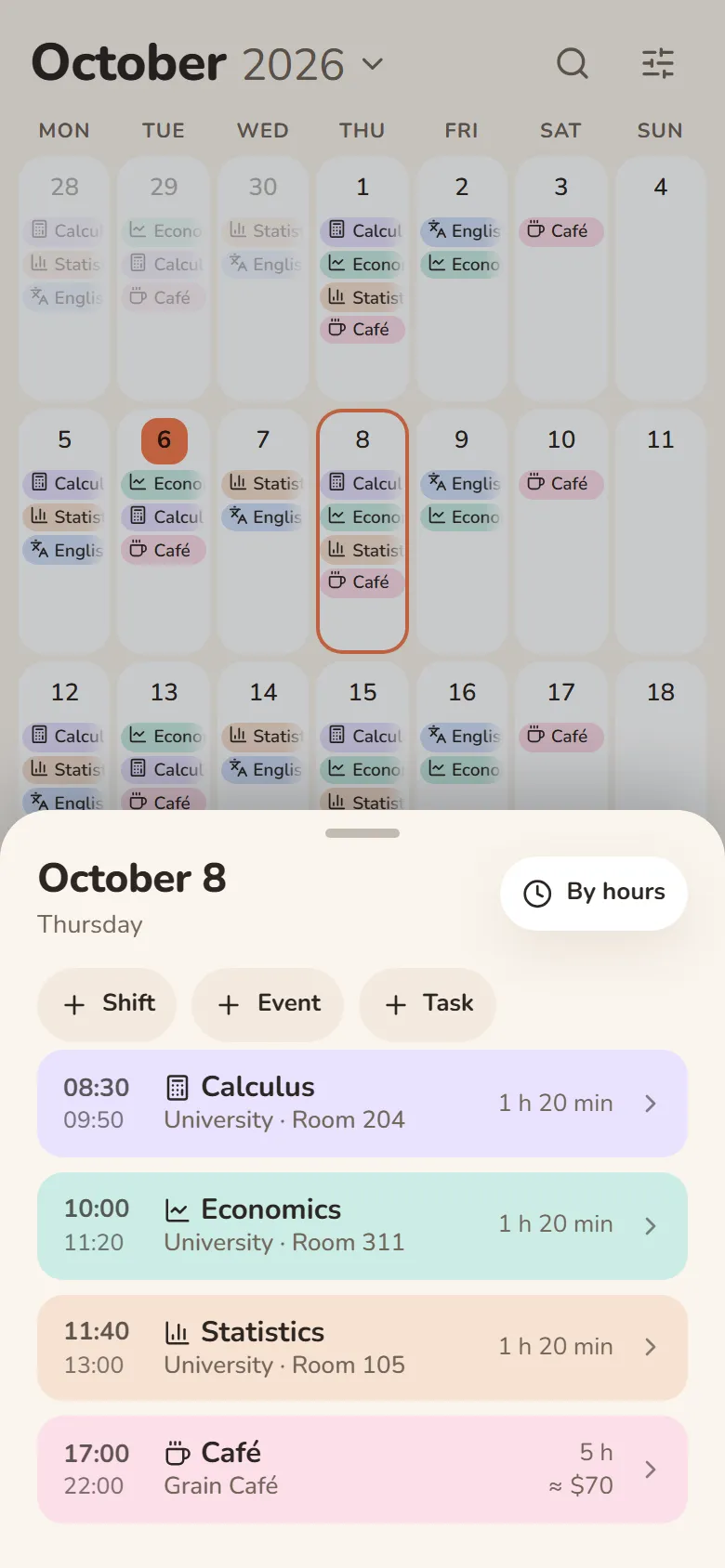
Studying and working? Put your class schedule and your shifts on one calendar: each day shows both, hours and earnings add up automatically, and Telegram reminds you about classes and shifts.
Free · No sign-up needed · English, Ukrainian and Russian
How to combine them
Add study and work
In Shifts, add a study place and a job: the job gets an hourly rate, the study place gets rooms and lecture links.
Put classes on for the term
In “Place shifts”, pick a class, weekdays and a period — to the end of the month, 3 months or to the end of the year.
Mark your shifts
Tap “Mark”, pick a shift and tap the days — or set a repeat: 2 on / 2 off, weekdays, every week.
See the whole day
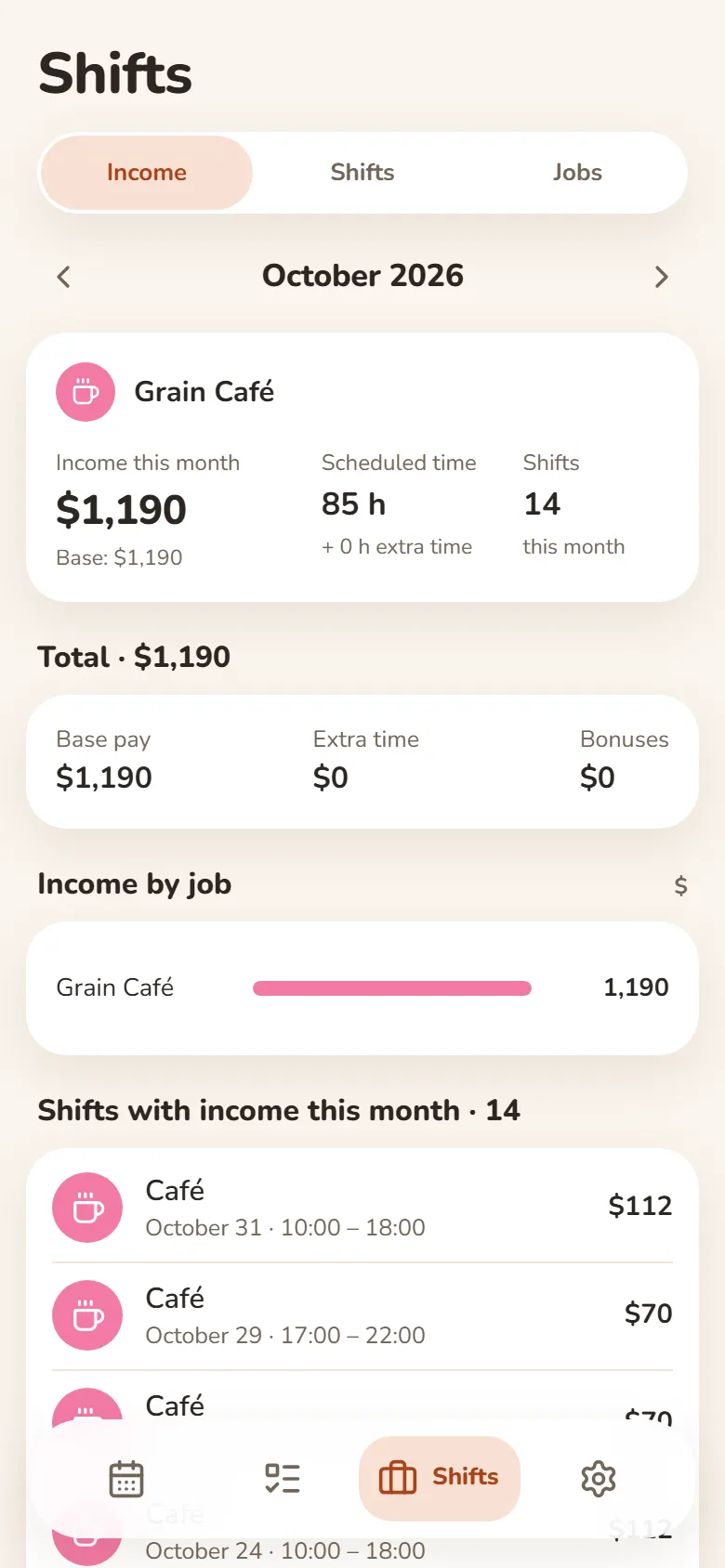
Each calendar day shows both classes and shifts, and Income shows the month’s hours and earnings.
What else helps
Reminders in Telegram
About classes (online ones come with the lecture link) and an hour before a shift.
Homework
Homework lives in the class and shows up in Tasks on the day of the class, the day before or 3 days before.
A shared group schedule
Make the study place shared and your classmates get the same schedule — up to 50 people.
Several jobs
Each has its own shifts and rates, with totals for each job.
Questions and answers
Can I see when a class and a shift overlap?
There is no special warning, but the day window lists everything by time, so an overlap is easy to spot.
How much does it cost?
It’s free, and you can use it without signing up.
What if classes alternate by week?
There is no special mode for that: put such classes on the right days with “Mark”.
Does it work in Telegram?
Yes: open @dayheartbot — the same app opens right inside Telegram, and reminders arrive there too.
Other sections
Shifts and earningsStudy: classes and homeworkHabits and moodWhat is DayHeartDayHeart in TelegramShift pay calculatorShift schedule makerHome