 DayHeart
Tutta la tua giornata in un unico posto
Calendario, attività, abitudini e umore. Se lavori a turni, impostare il tuo orario richiede un paio di tocchi, e ore ed entrate si sommano da sole.
Gratis · Senza registrazione · 24 lingue
Come installare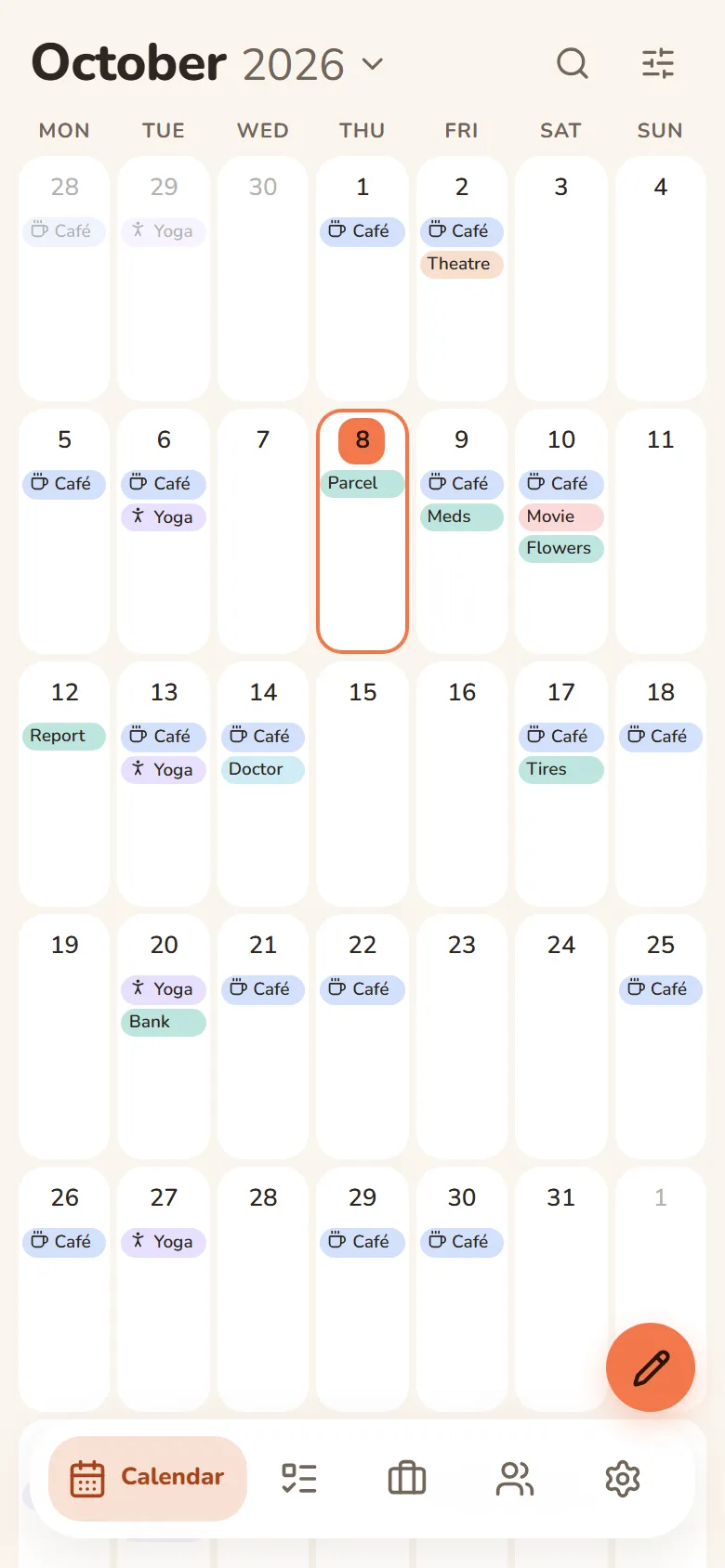
Cosa fa DayHeart
Attiva solo ciò che ti serve: il resto resta fuori mano.
Tap a section to see more
Calendar
Month, week and day in one place
- Always opens to today
- Shifts, tasks, events and birthdays on one grid
- Repeats: daily, weekly, monthly or yearly
- Search across every section at once
Work & study
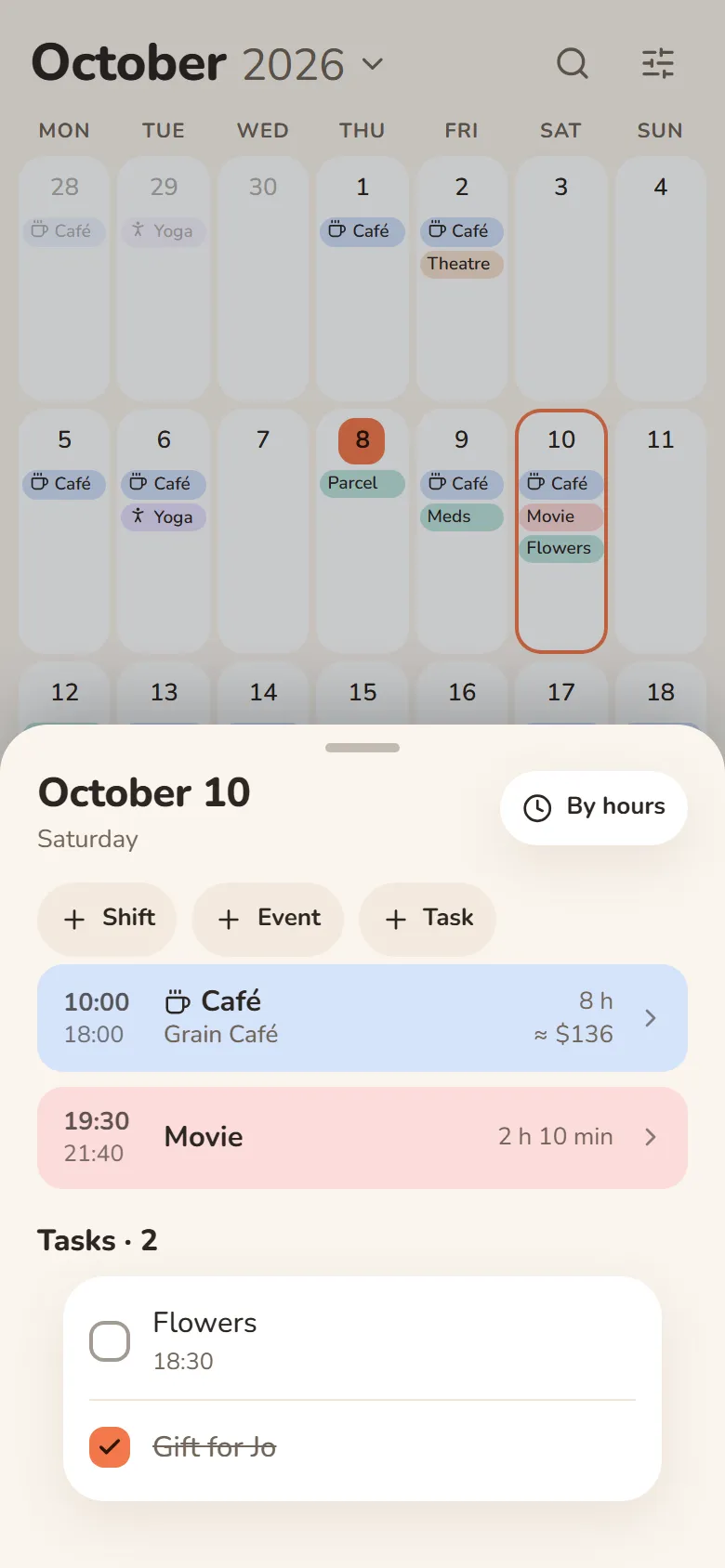
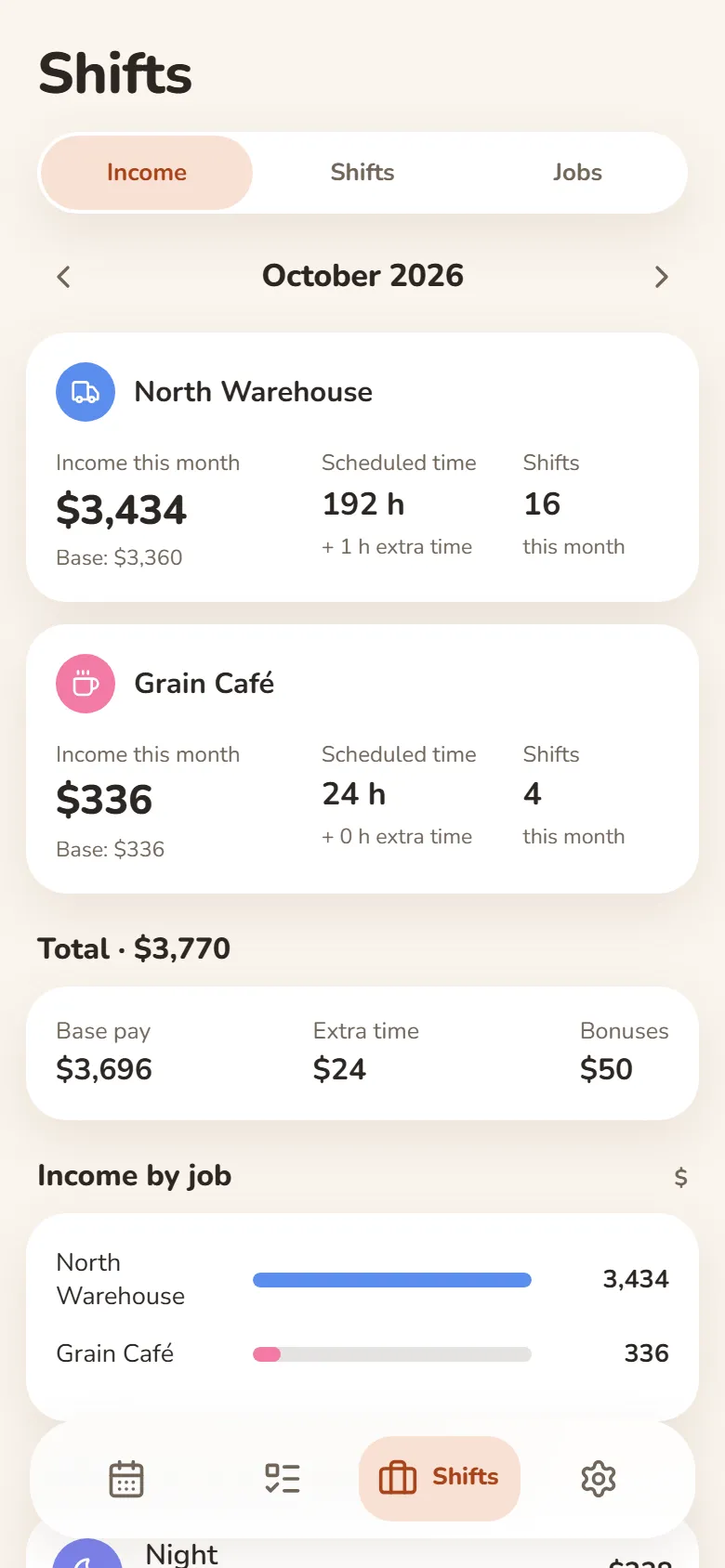
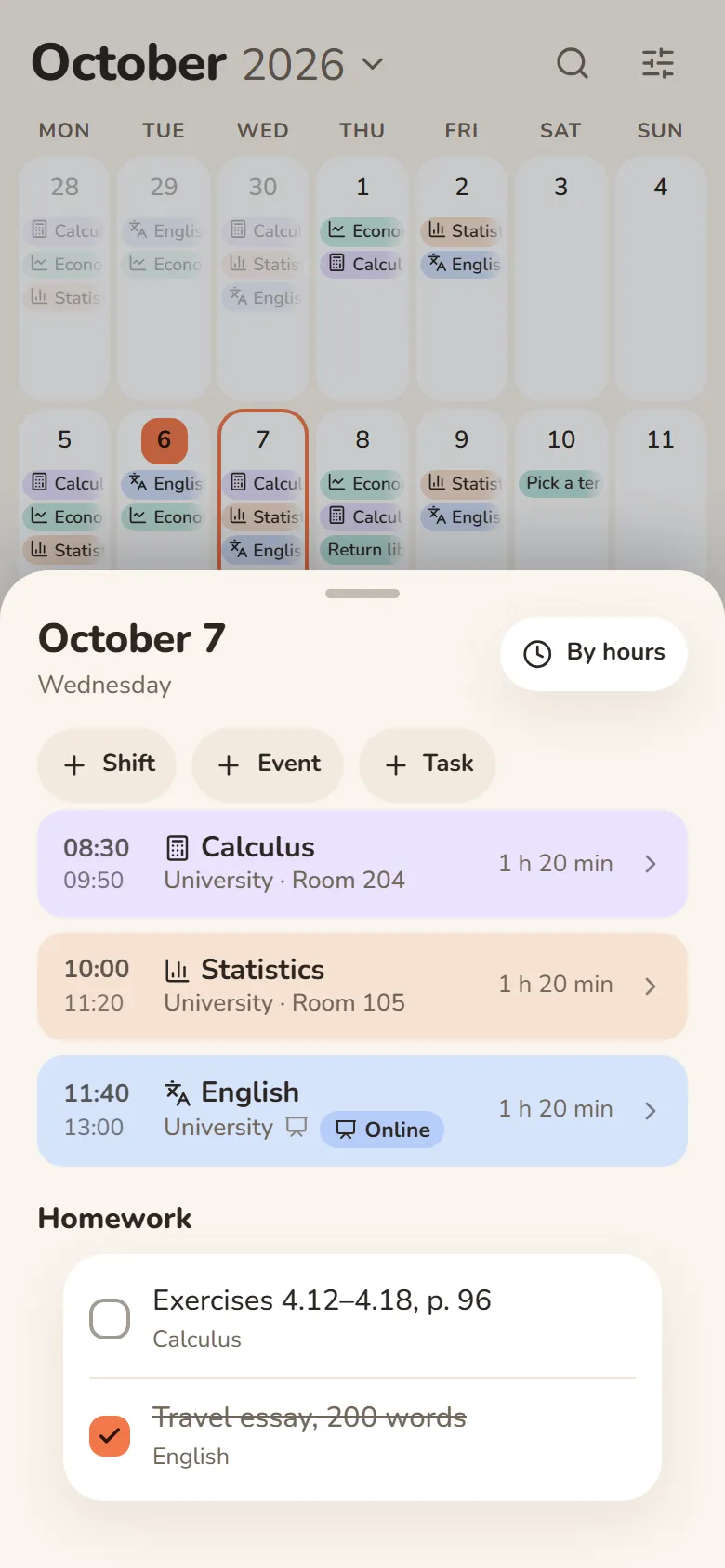
Shifts, classes and earnings
- Pick a shift and tap the days — your schedule is ready
- Hours and earnings add up automatically — breaks, extra pay and bonuses included
- Classes with rooms, lecture links and homework
- Several jobs, and one shared schedule for your class
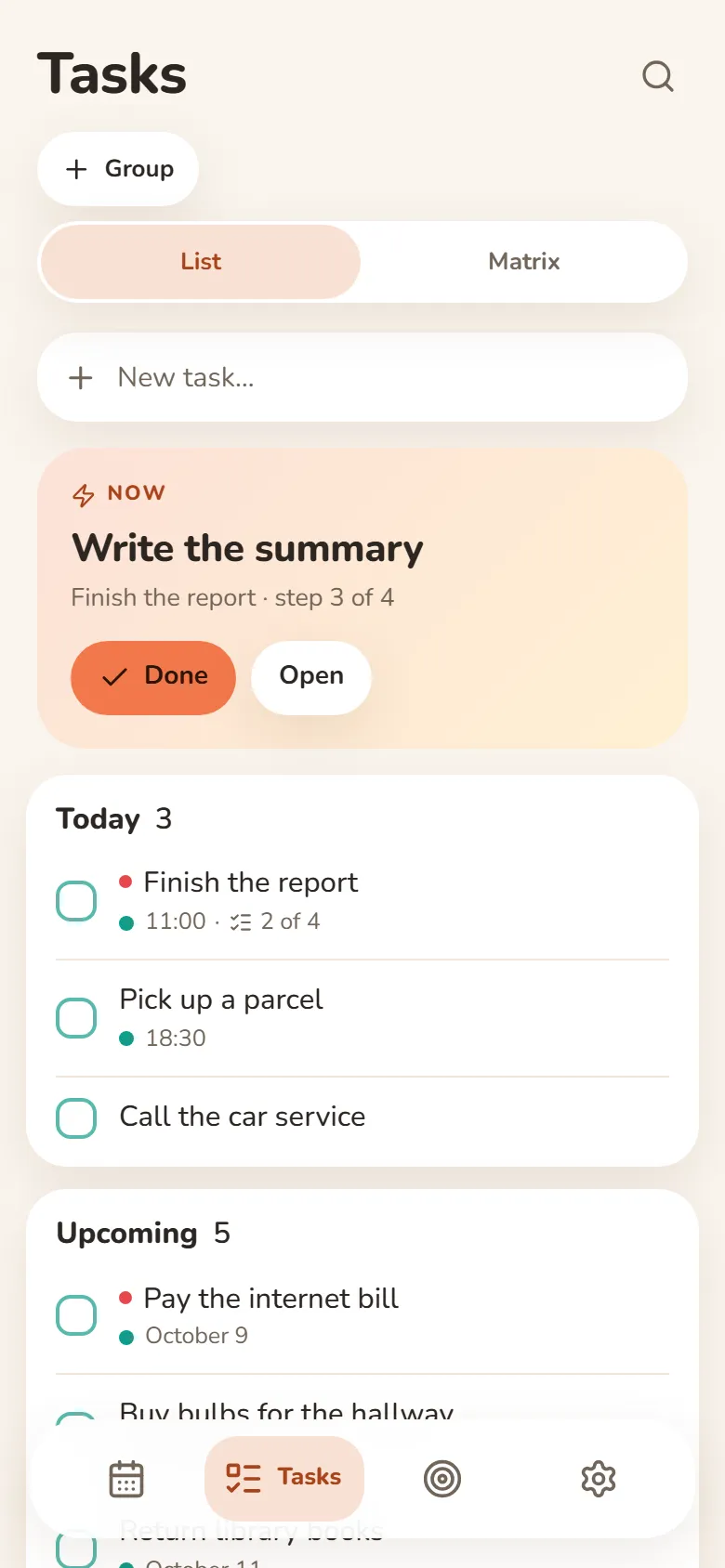
Tasks
Write it down and let it go
- Quick add understands “tomorrow at 3pm”
- Steps inside a task show what’s next
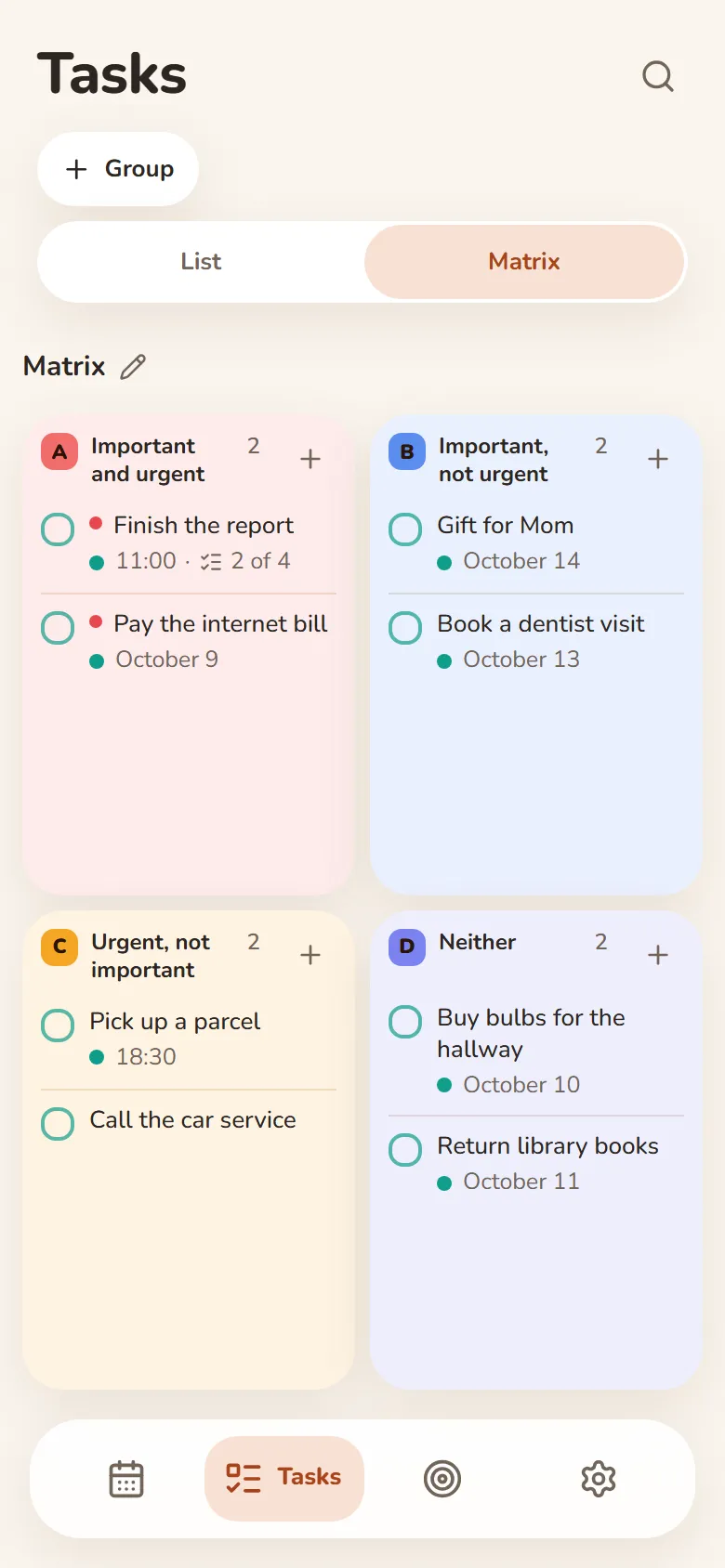
- An urgent–important matrix
- Swipe right — done, swipe left — tomorrow
Finance
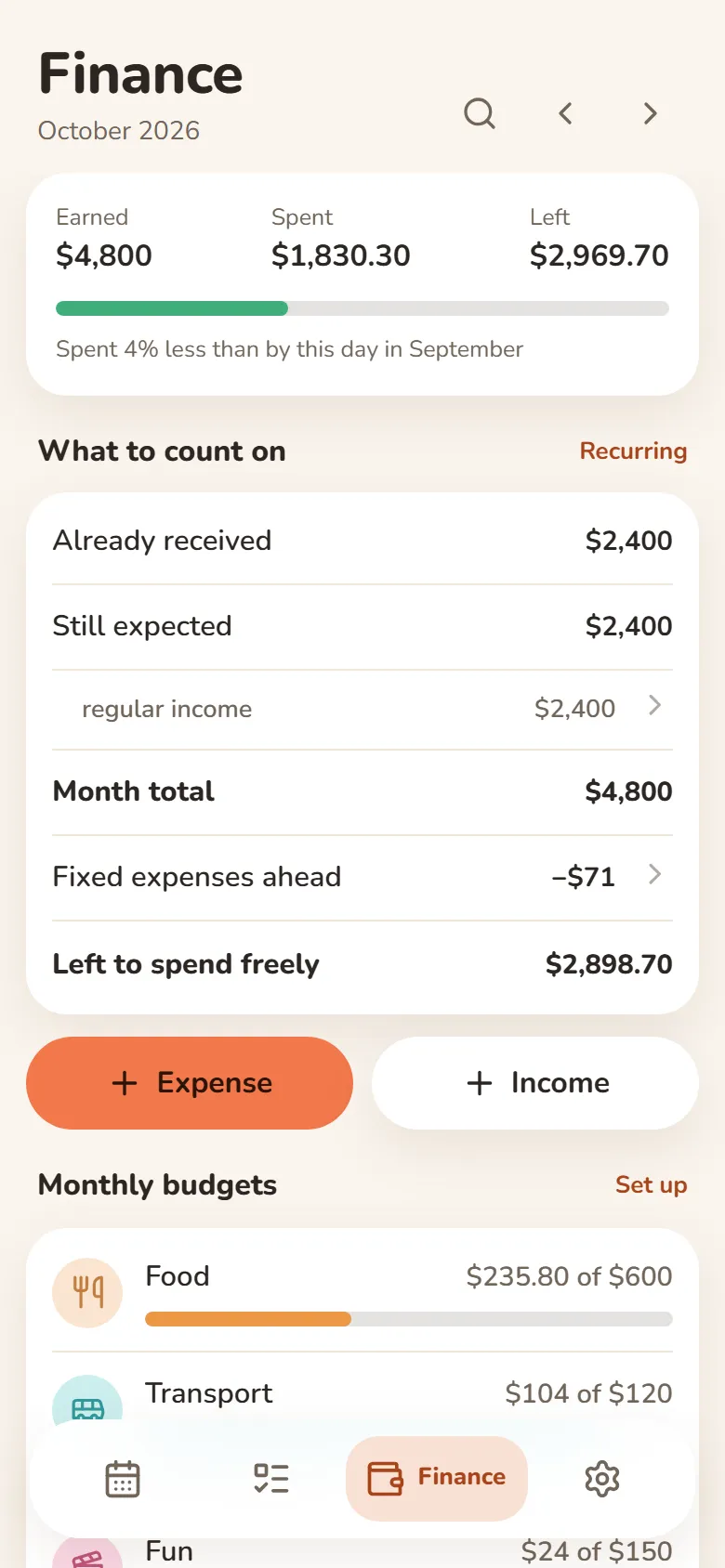
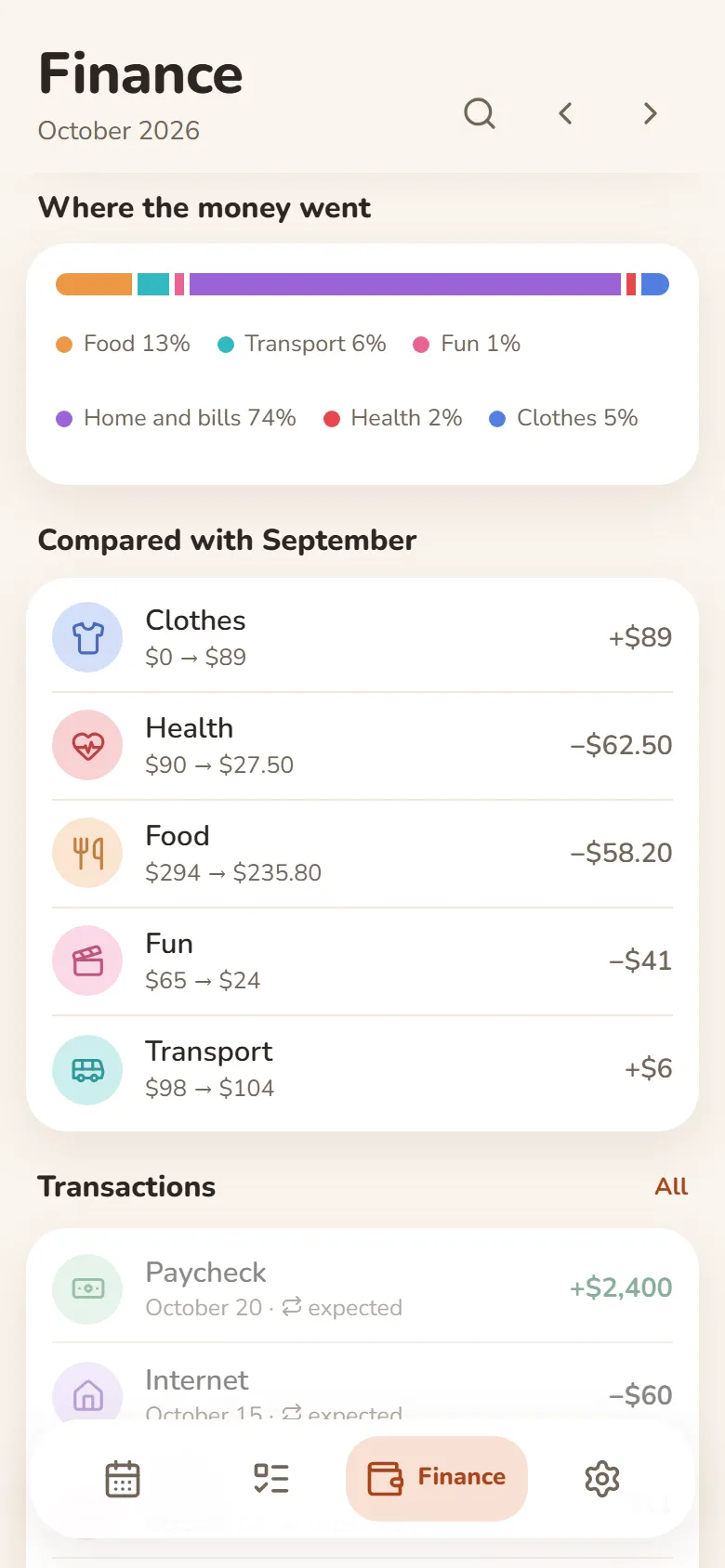
What came in, what went out, what’s left
- Earnings from your shifts come in by themselves
- Category budgets that warn you when you’re close to the limit
- Rent, subscriptions and salary are counted every month automatically
- Import a bank statement (Excel or CSV) and spending sorts into categories
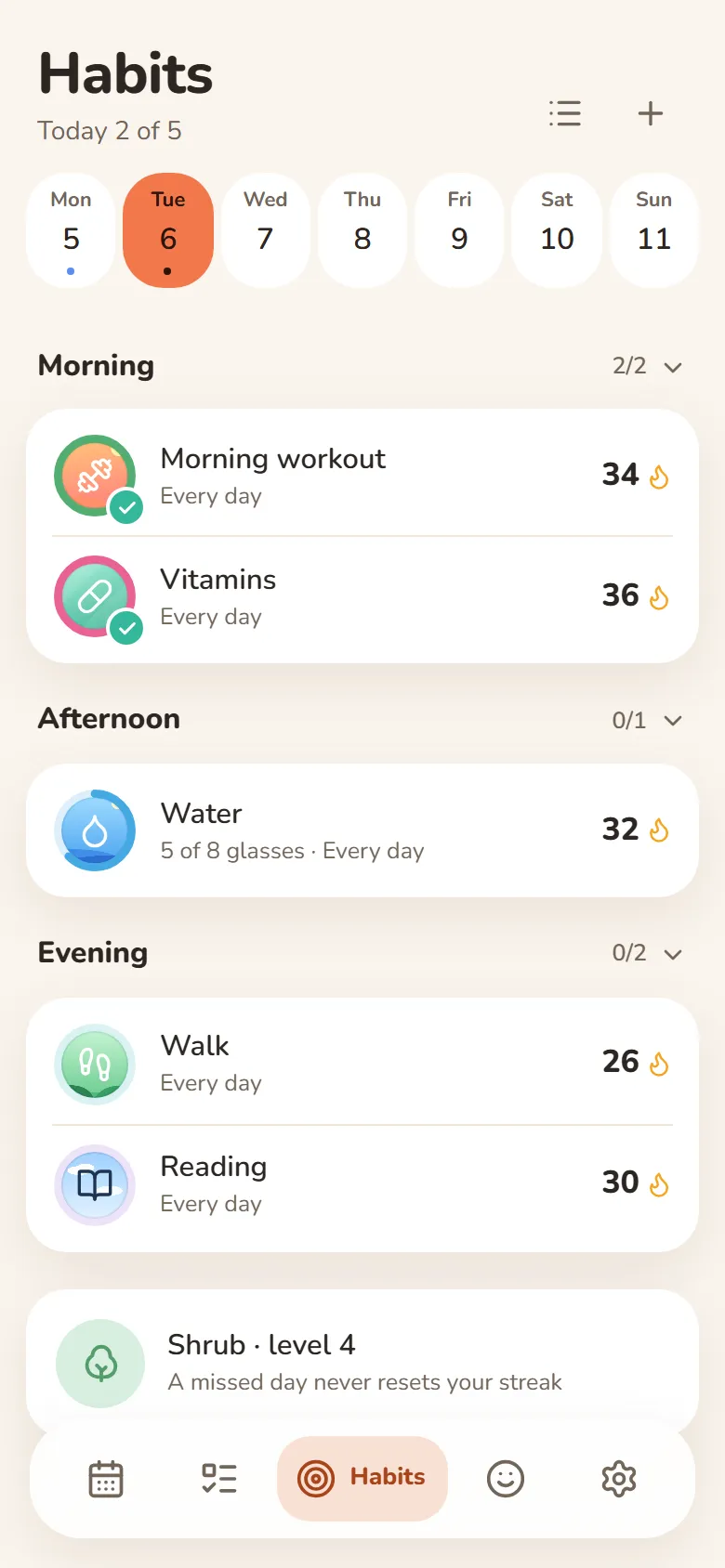
Habits
One tap and it’s marked
- A missed day never resets your streak
- Done or not, or a daily goal — “5 of 8 glasses”
- Morning, afternoon or evening — only on the days you pick
- Telegram reminders you can mark done right from the message
Mood
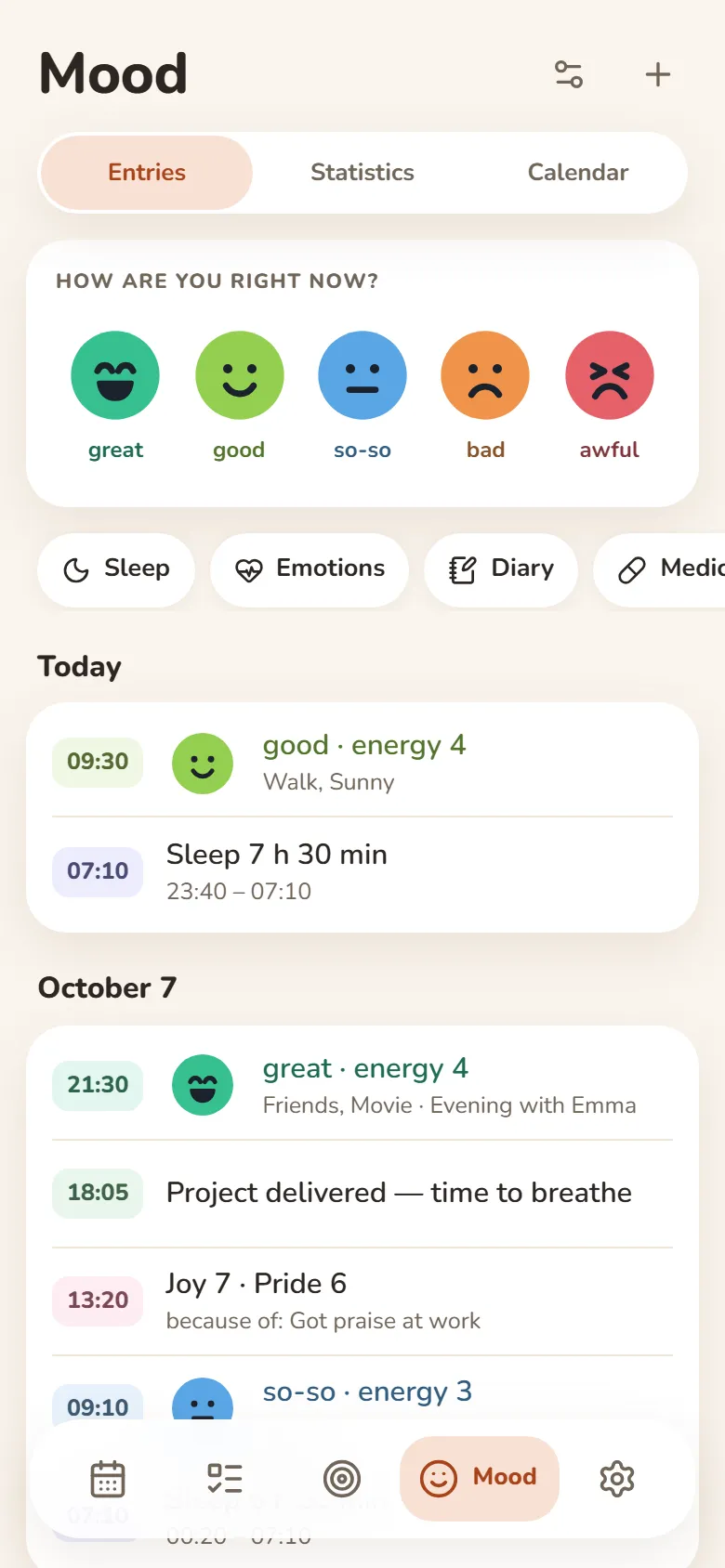
Your mood in a few seconds
- Tap one of five faces and save
- Sleep, energy, emotions and a journal — if you want them
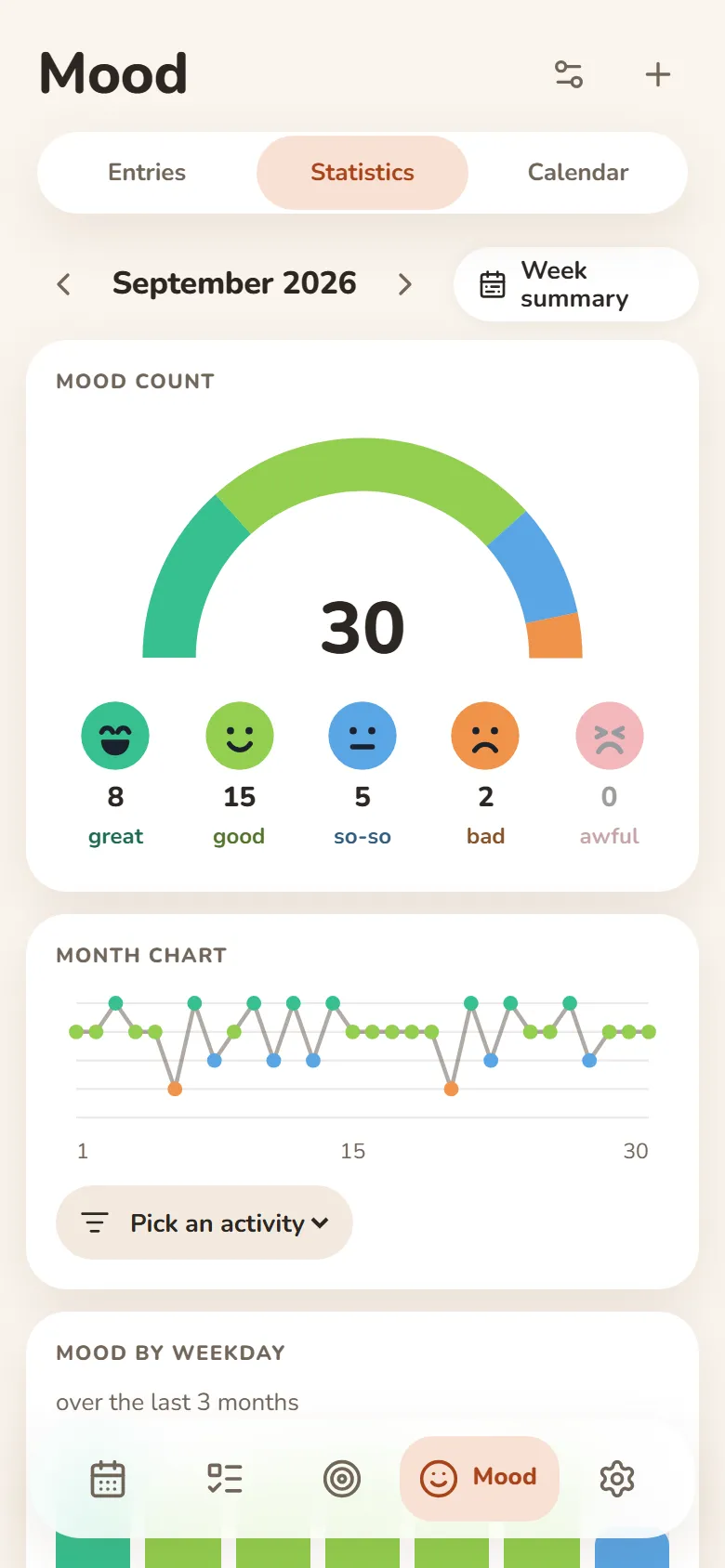
- A weekly summary and a PDF report
- Most entries can be encrypted — then not even we can read them
People
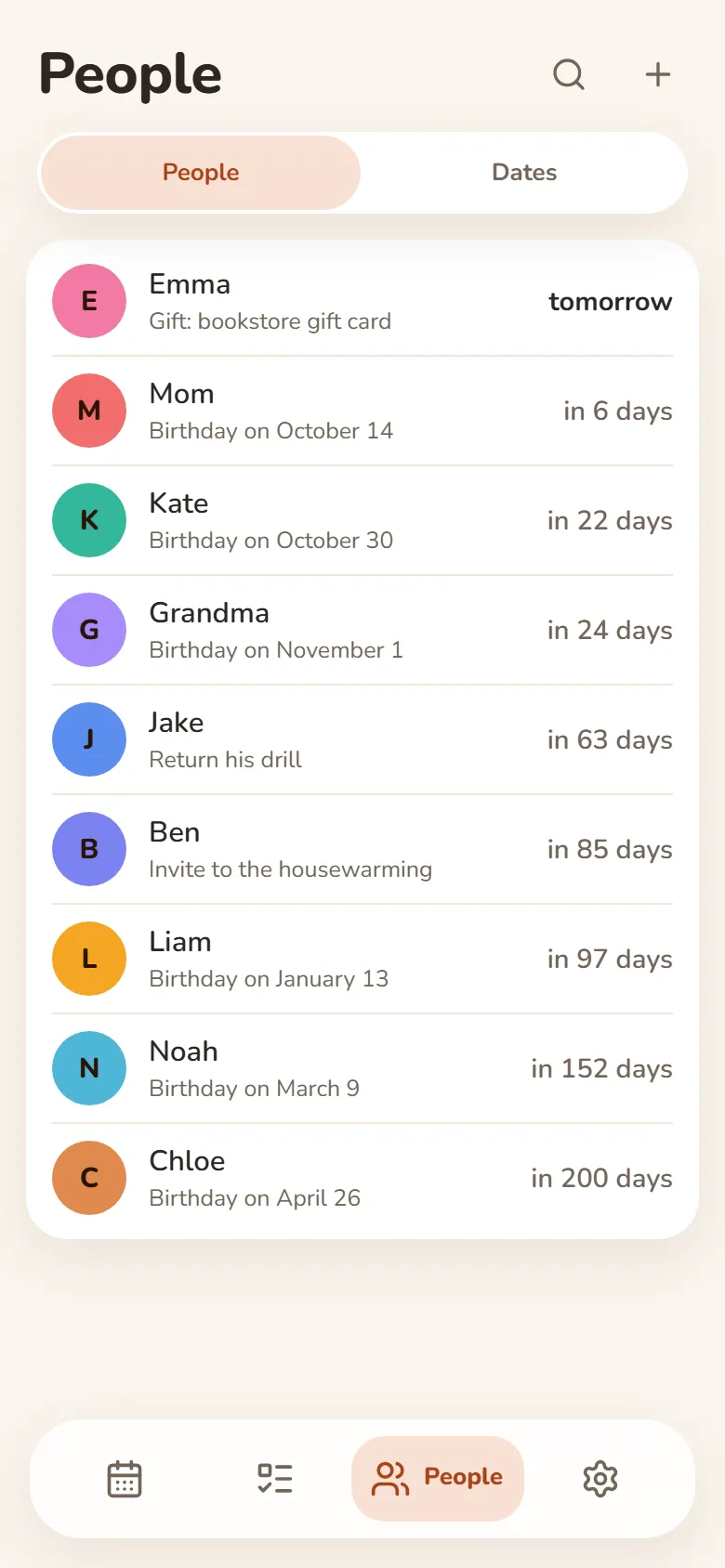
Your people and their birthdays
- Birthday reminders in Telegram — on the day or ahead of time
- Shows how old they’re turning
- Notes: what you promised, what they asked for
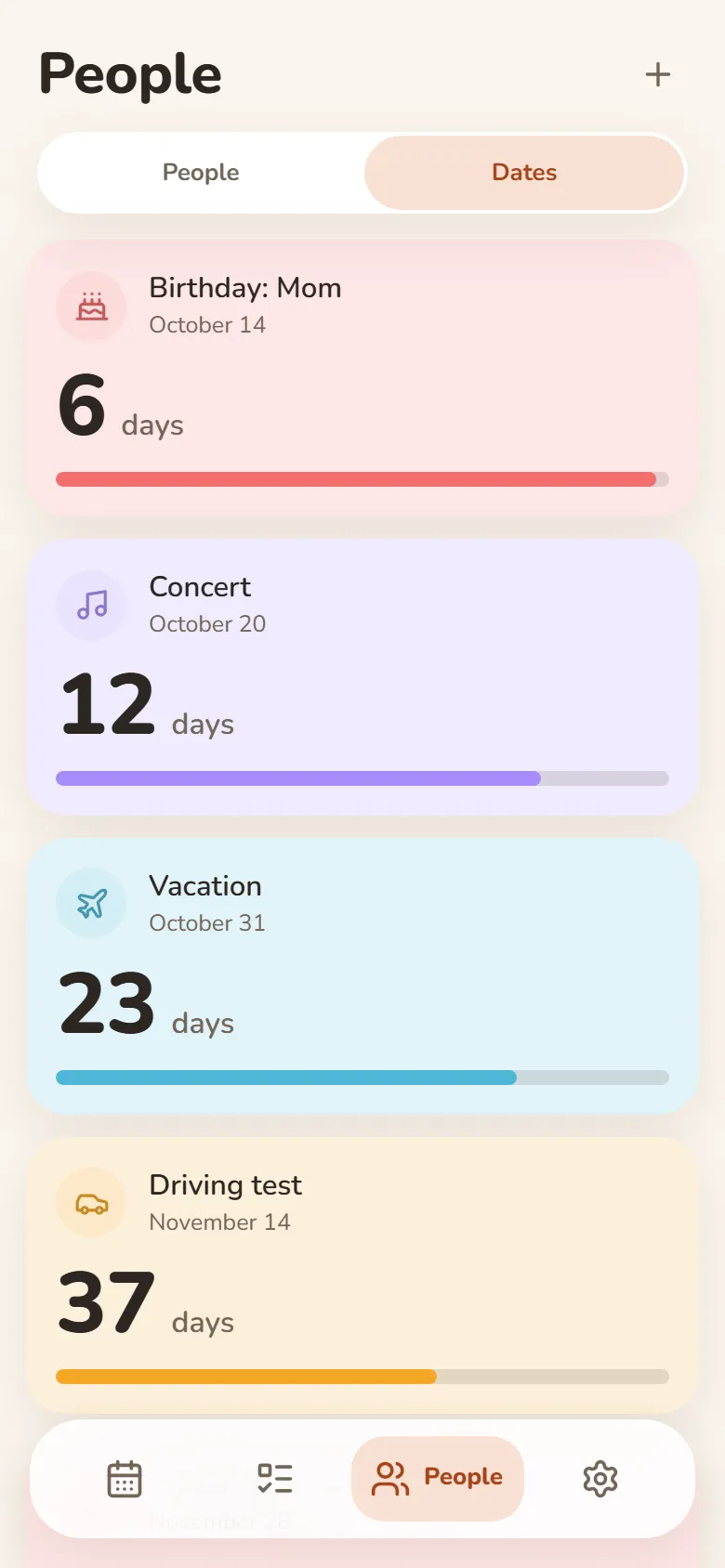
Dates
Days until what matters
- Vacation, exam, concert — counted down in days
- “Every year” for anniversaries and holidays
- Past dates show how long it’s been
- Telegram reminders on the day, a day or a week before
Friends & groups
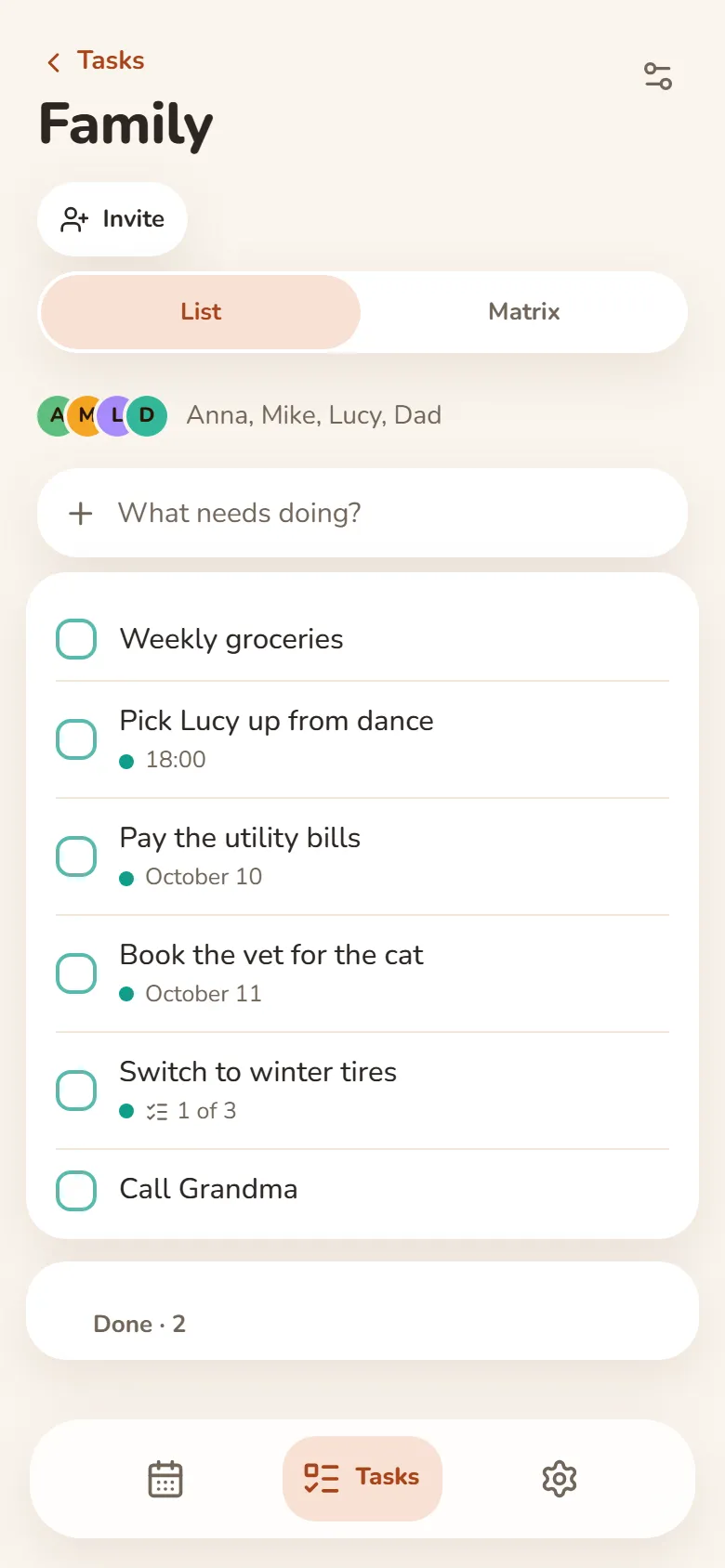
Shared tasks and schedules
- Shared task groups — everyone adds and ticks things off
- One class schedule for your whole group — up to 50 people
- A friend you allow sees your shift times — your earnings stay private
- Invite friends by link after signing in with Telegram or Google
Su tutti i tuoi dispositivi
Accedi con Telegram o Google e le tue voci sono sul telefono e sul computer. Funziona anche offline.
Attività in una nuova scheda
Il programma di oggi nella nuova scheda del browser, con l’estensione Bonjourr.
Come installare
È una web app: non serve nessuno store, la aggiungi al telefono o al computer direttamente dal browser.
Nel browser
Non c’è niente da installare: aprila su qualsiasi dispositivo.
Apri nel browseriPhone e iPad
- Apri DayHeart in Safari
- Tocca Condividi (su iOS 26 è nel menu “…”)
- Scegli “Aggiungi alla schermata Home”
Android
- Apri DayHeart in Chrome
- Tocca ⋮ in alto a destra
- Scegli “Installa app”
Computer
- Apri DayHeart in Chrome o Edge
- Fai clic sull’icona di installazione nella barra degli indirizzi
Windows
L’app DayHeart per Windows — con widget sul desktop.
Scarica da Microsoft StoreTelegram
Apri il bot @dayheartbot: l’app si apre direttamente dentro Telegram.
Apri in TelegramGli store di app sono in programma
App Store — in programmaGoogle Play — in programma
I tuoi dati
Le tue voci restano sul tuo dispositivo e, dopo l’accesso, anche nel tuo account: così sono su tutti i tuoi dispositivi.
La maggior parte delle voci di Umore può essere cifrata sul tuo dispositivo: così nemmeno noi possiamo leggerle. I farmaci e ciò che serve per condividere l’umore con gli amici restano visibili al server; la chiave del tuo codice di recupero di 12 parole non lo raggiunge mai.
Nessuna pubblicità. Non vendiamo i dati e non li condividiamo con terzi, salvo quanto descritto nell’informativa sulla privacy.