 DayHeart
Cały twój dzień w jednym miejscu
Kalendarz, zadania, nawyki i nastrój. A jeśli pracujesz w systemie zmianowym, grafik ustawisz kilkoma dotknięciami, a godziny i zarobki policzą się same.
Za darmo · Bez rejestracji · 24 języki
Jak zainstalować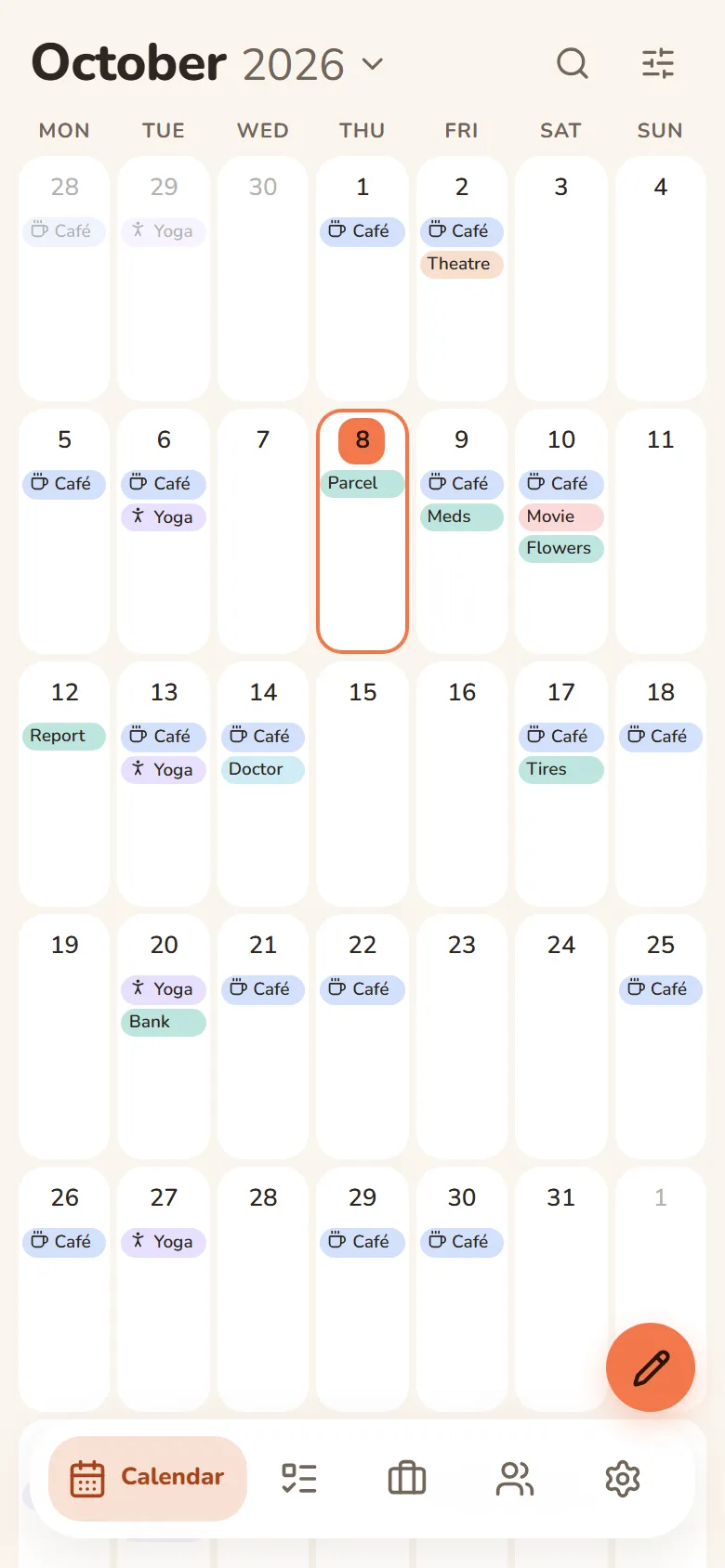
Co potrafi DayHeart
Włącz tylko to, czego potrzebujesz — reszta nie przeszkadza.
Tap a section to see more
Calendar
Month, week and day in one place
- Always opens to today
- Shifts, tasks, events and birthdays on one grid
- Repeats: daily, weekly, monthly or yearly
- Search across every section at once
Work & study
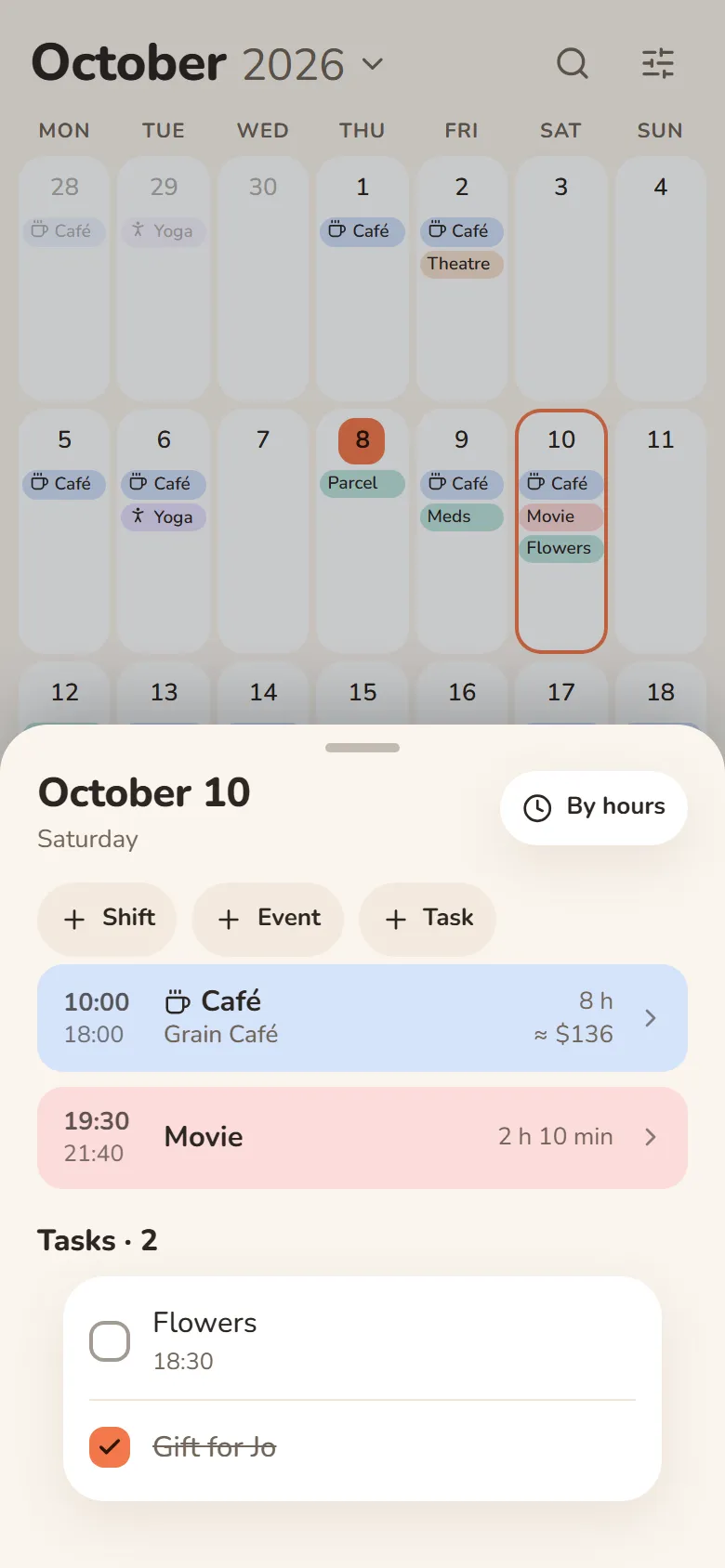
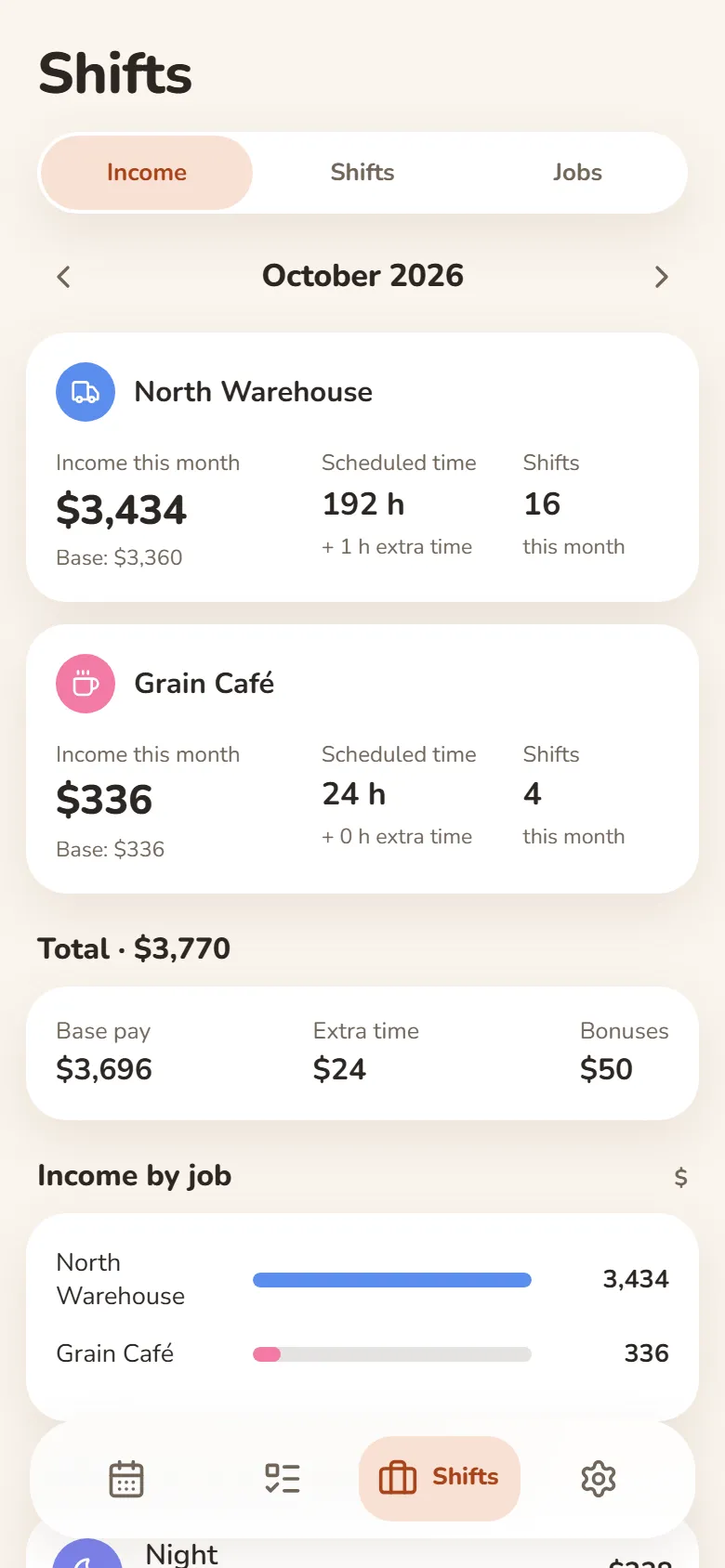
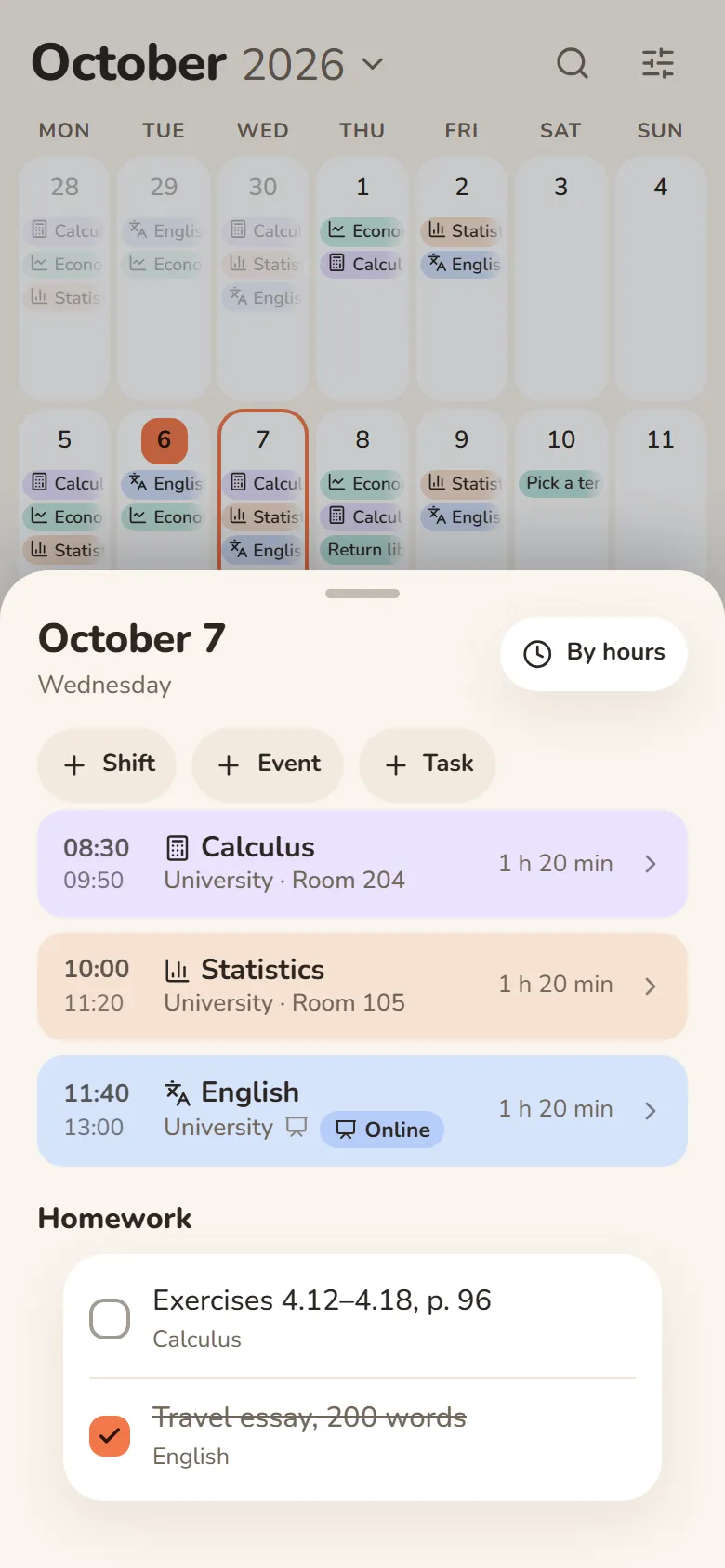
Shifts, classes and earnings
- Pick a shift and tap the days — your schedule is ready
- Hours and earnings add up automatically — breaks, extra pay and bonuses included
- Classes with rooms, lecture links and homework
- Several jobs, and one shared schedule for your class
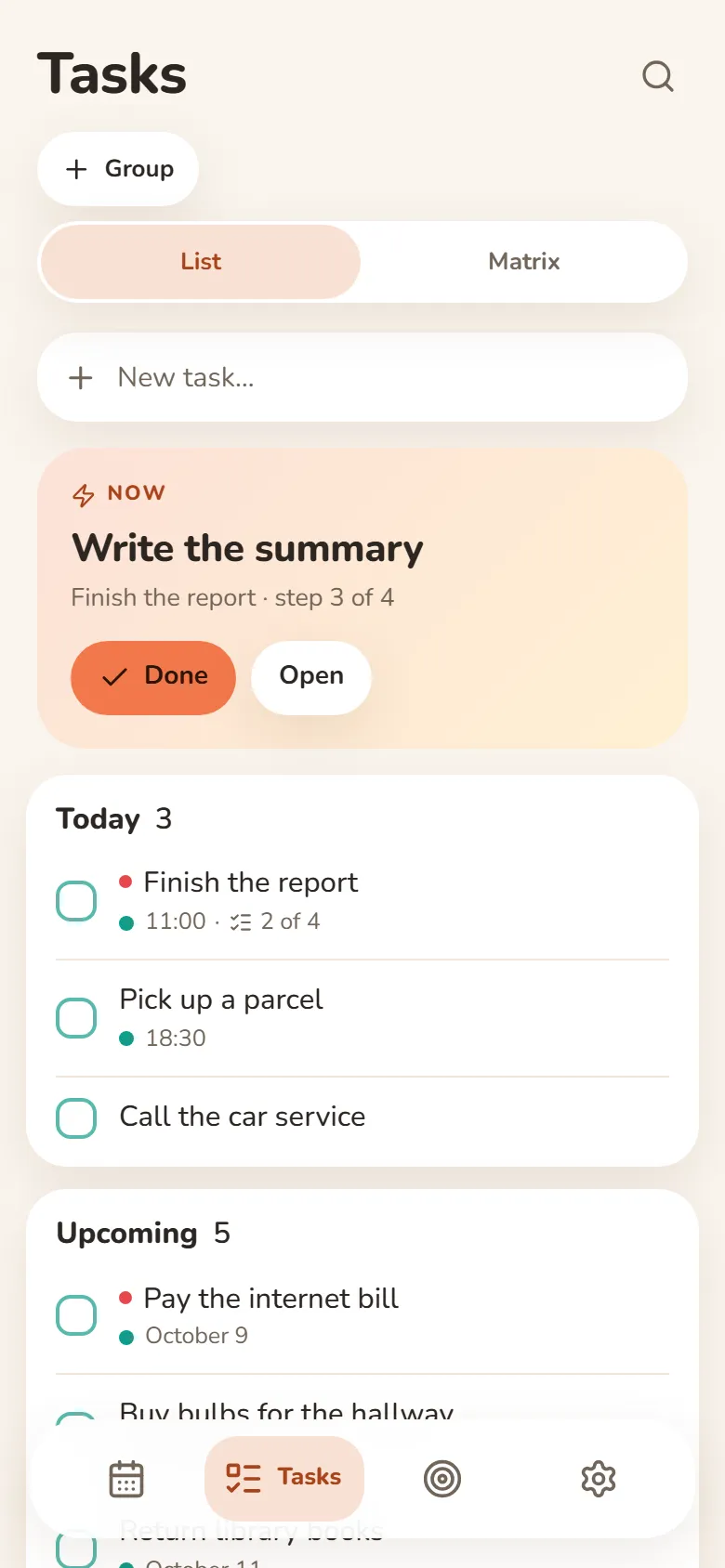
Tasks
Write it down and let it go
- Quick add understands “tomorrow at 3pm”
- Steps inside a task show what’s next
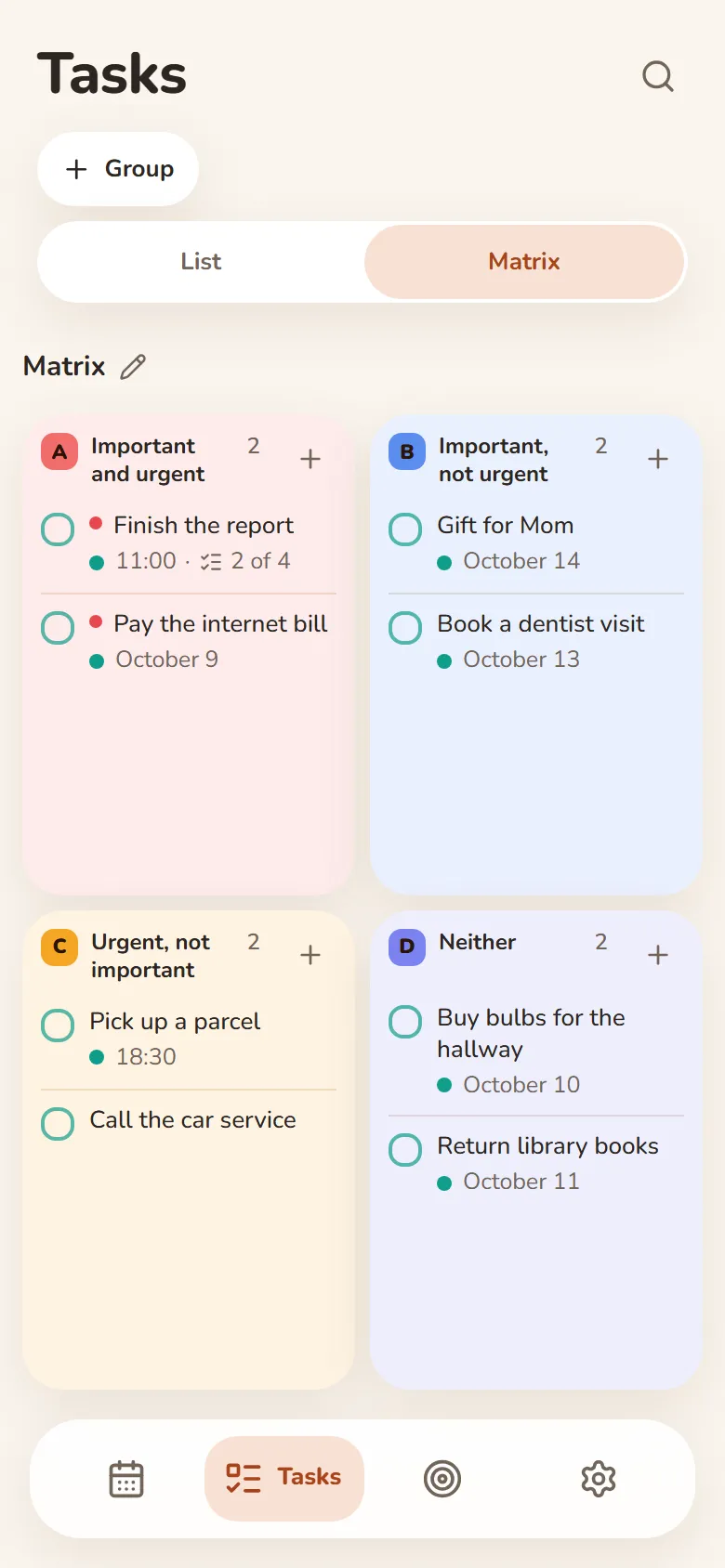
- An urgent–important matrix
- Swipe right — done, swipe left — tomorrow
Finance
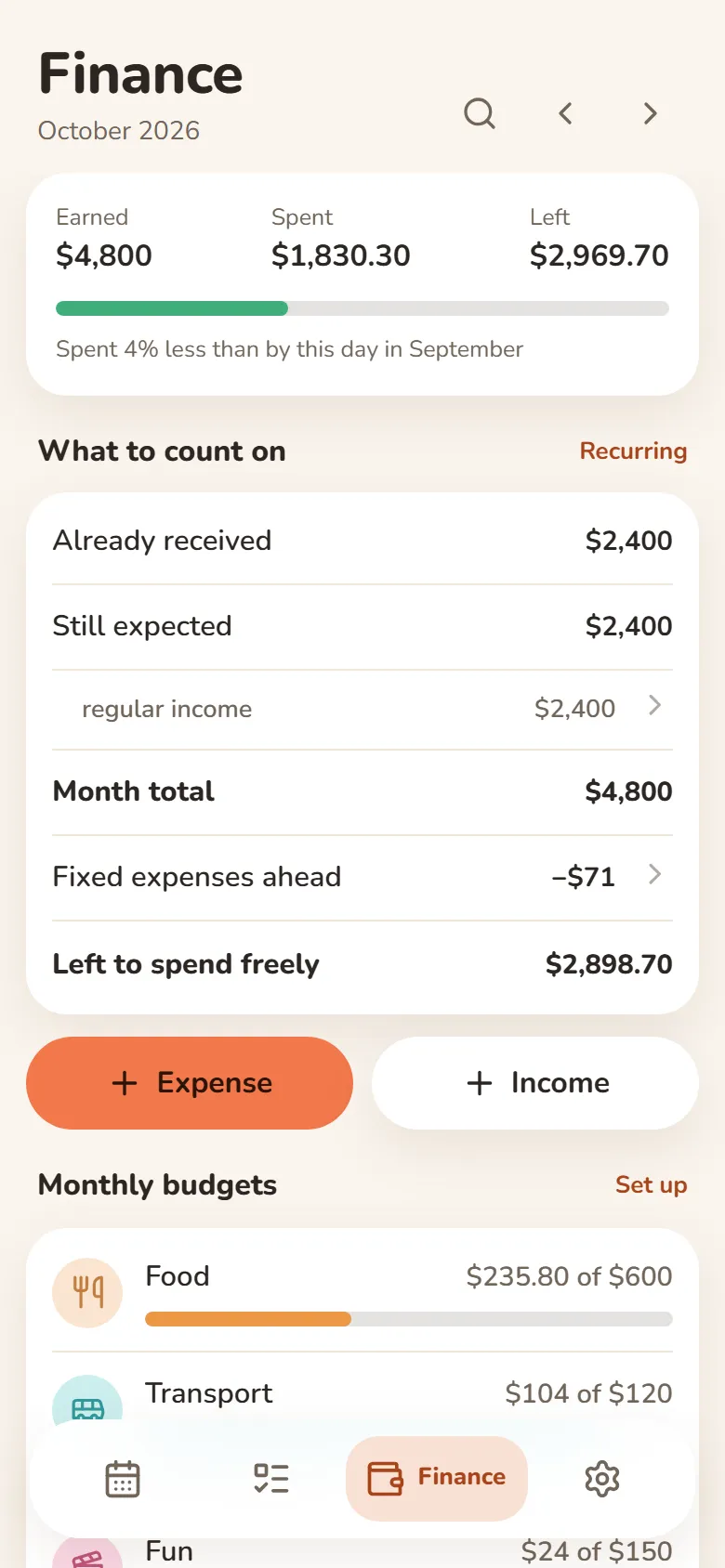
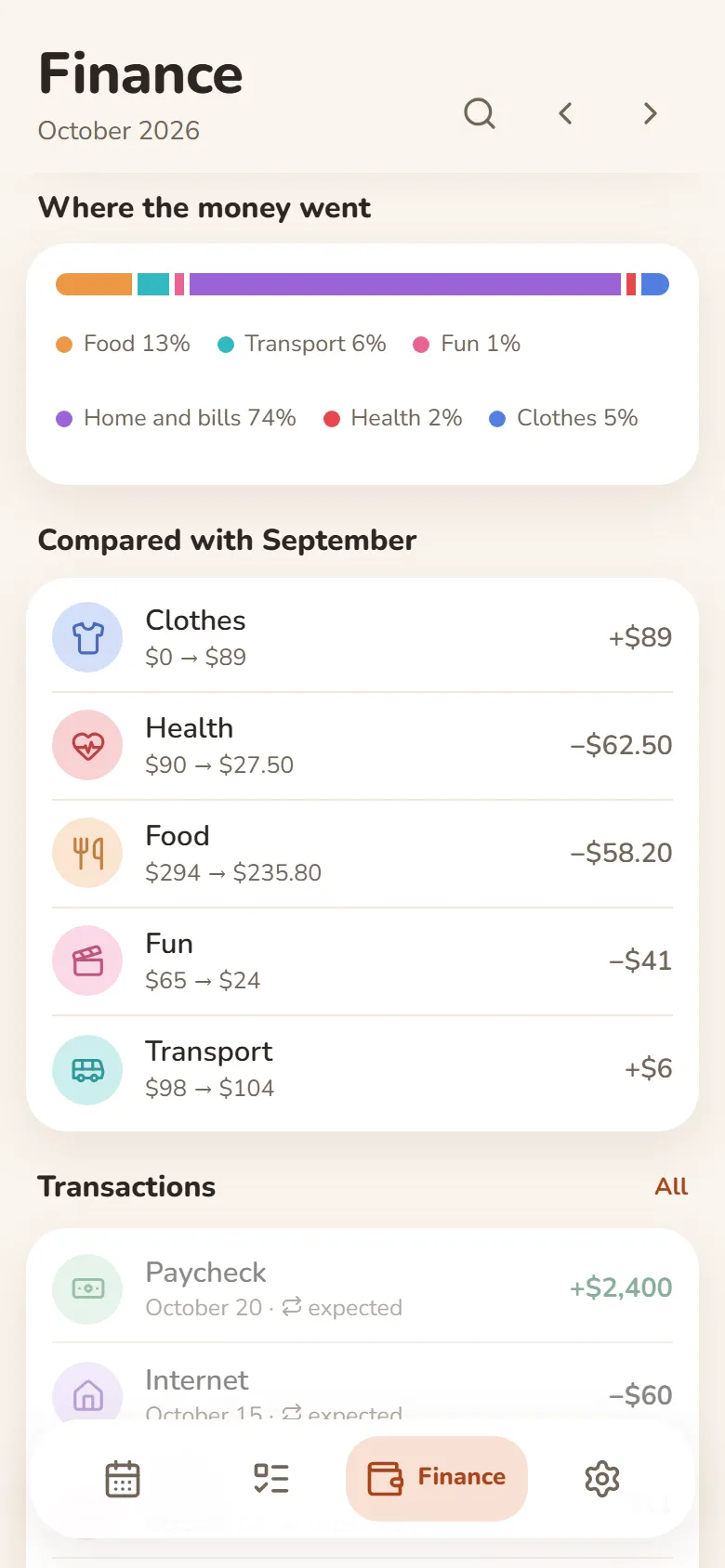
What came in, what went out, what’s left
- Earnings from your shifts come in by themselves
- Category budgets that warn you when you’re close to the limit
- Rent, subscriptions and salary are counted every month automatically
- Import a bank statement (Excel or CSV) and spending sorts into categories
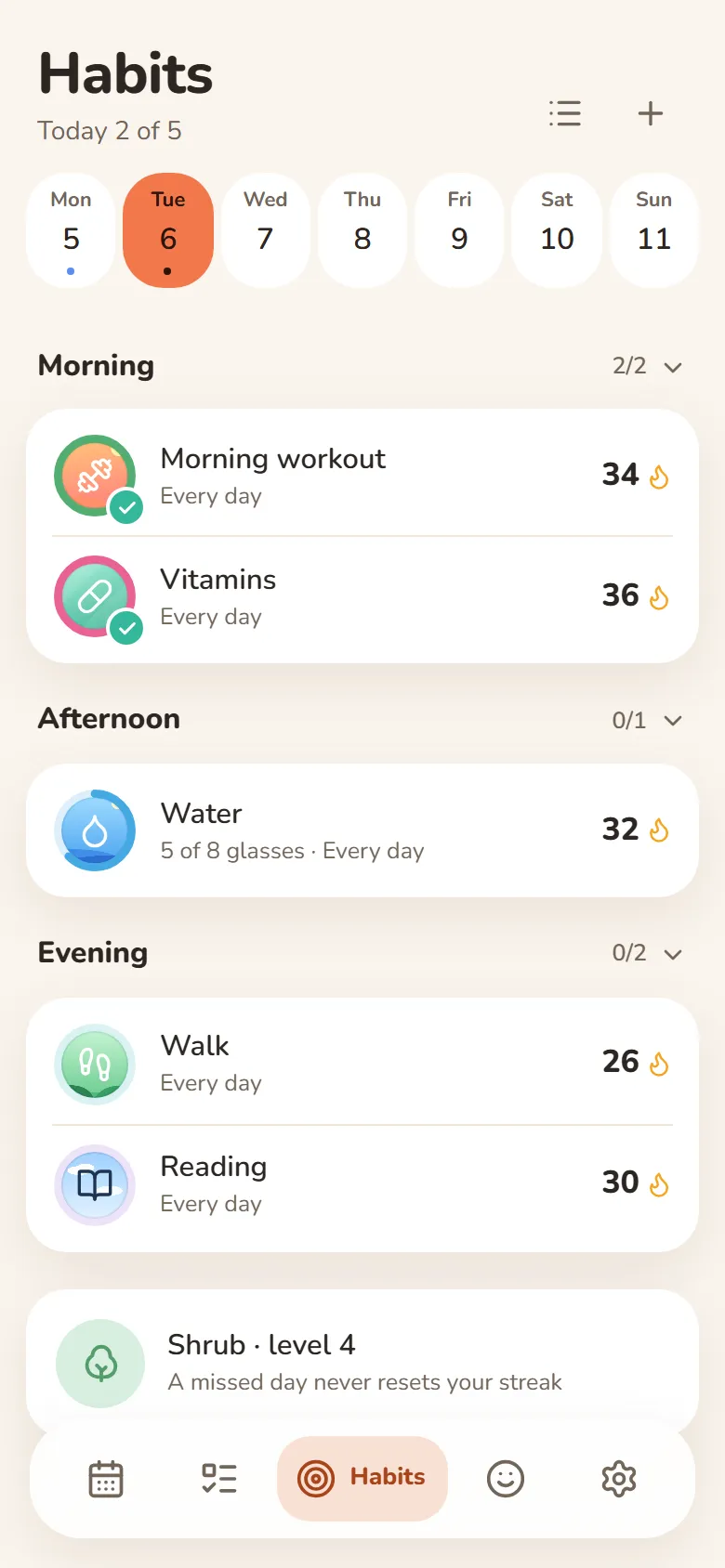
Habits
One tap and it’s marked
- A missed day never resets your streak
- Done or not, or a daily goal — “5 of 8 glasses”
- Morning, afternoon or evening — only on the days you pick
- Telegram reminders you can mark done right from the message
Mood
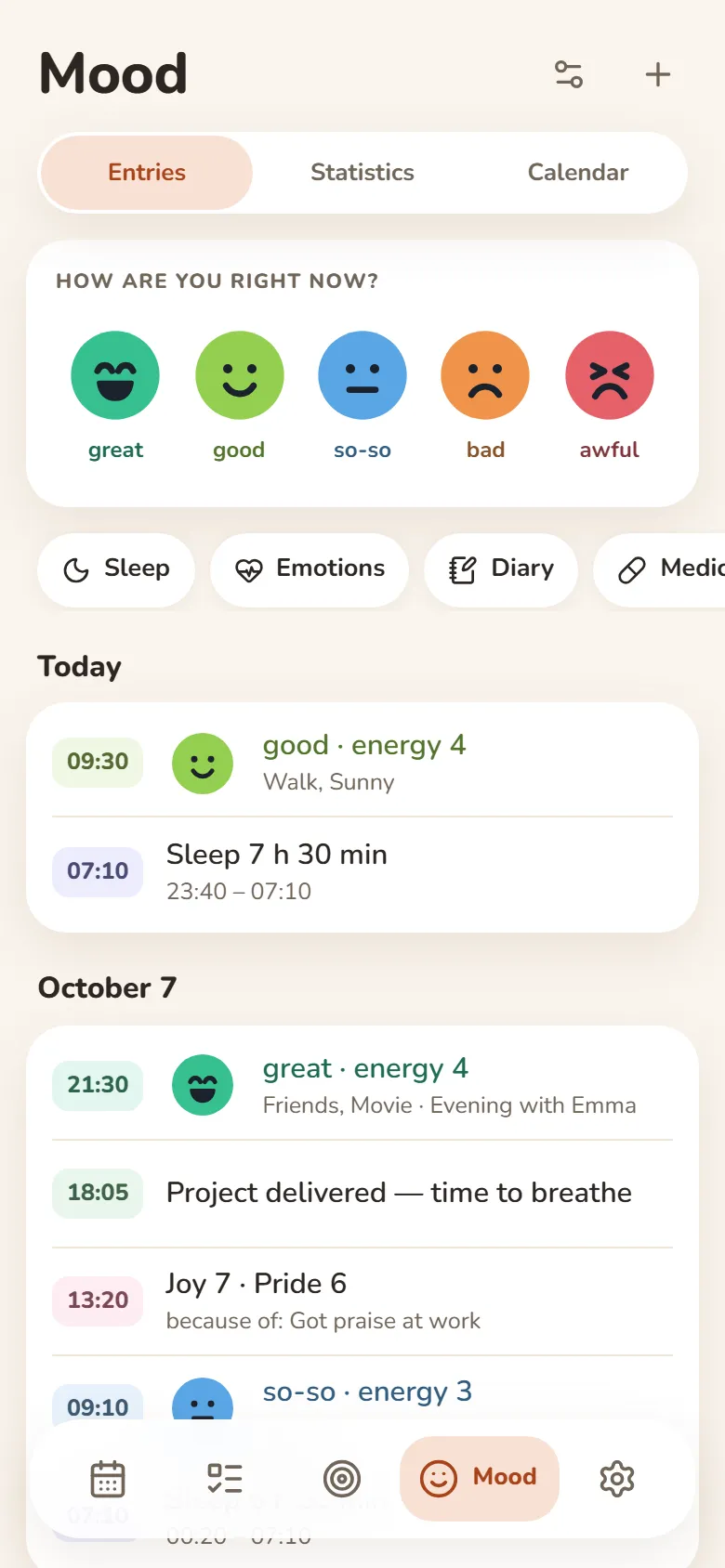
Your mood in a few seconds
- Tap one of five faces and save
- Sleep, energy, emotions and a journal — if you want them
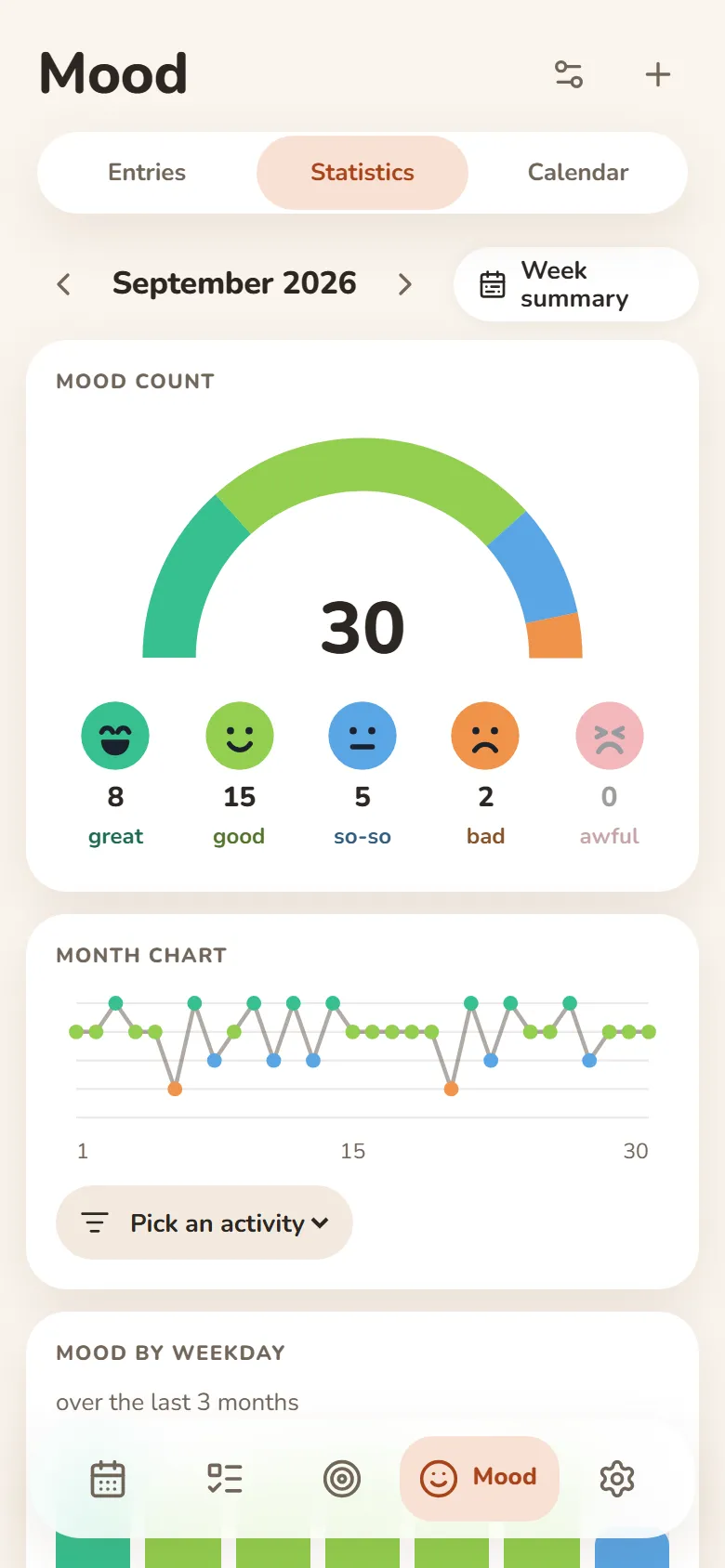
- A weekly summary and a PDF report
- Most entries can be encrypted — then not even we can read them
People
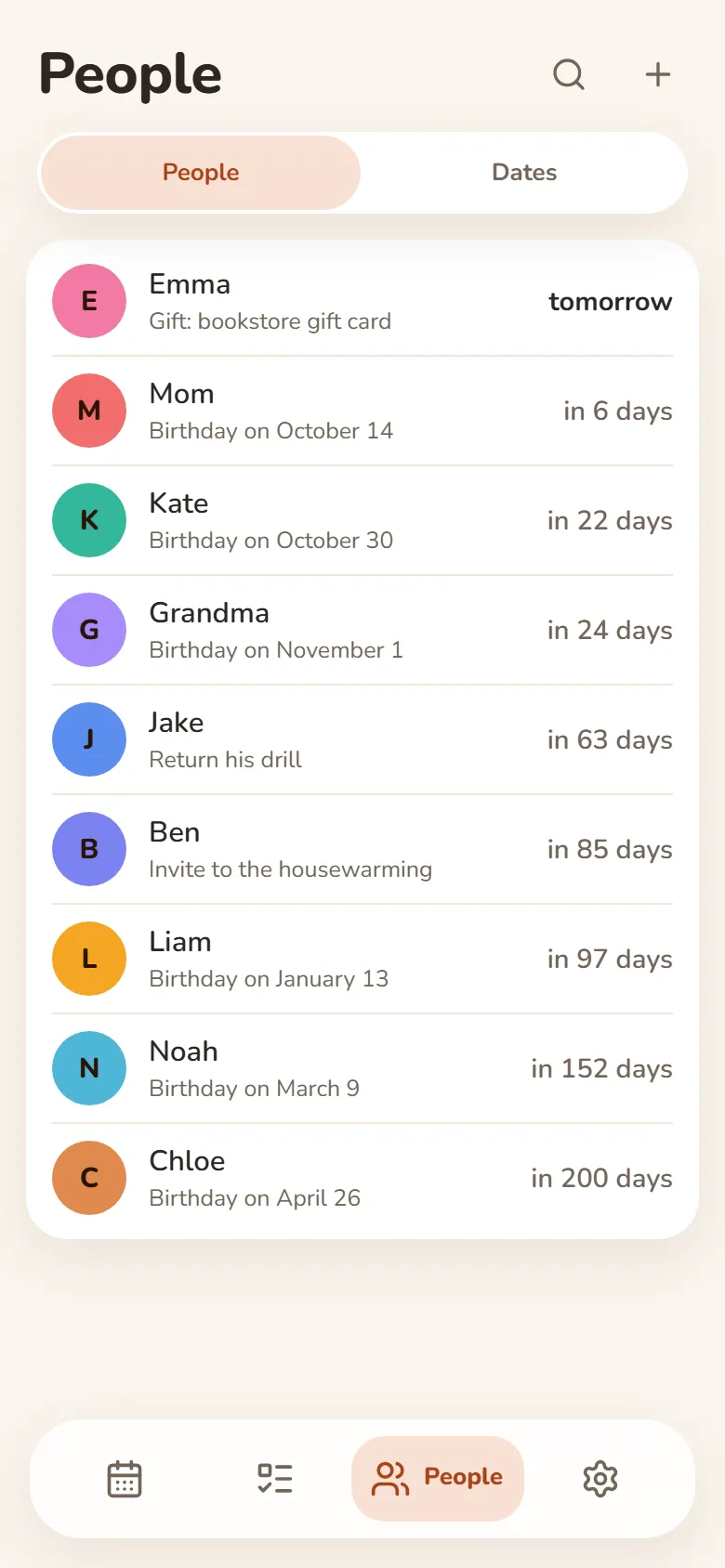
Your people and their birthdays
- Birthday reminders in Telegram — on the day or ahead of time
- Shows how old they’re turning
- Notes: what you promised, what they asked for
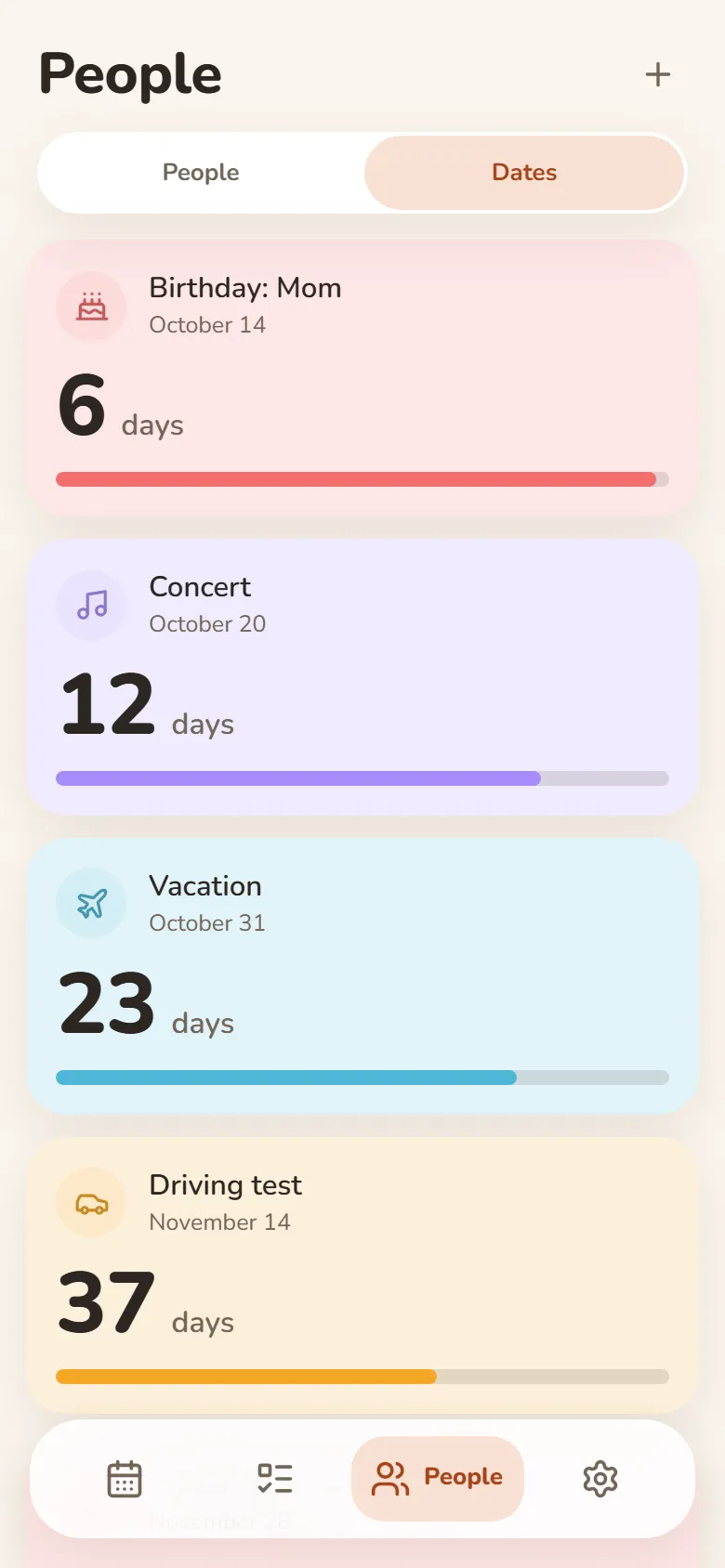
Dates
Days until what matters
- Vacation, exam, concert — counted down in days
- “Every year” for anniversaries and holidays
- Past dates show how long it’s been
- Telegram reminders on the day, a day or a week before
Friends & groups
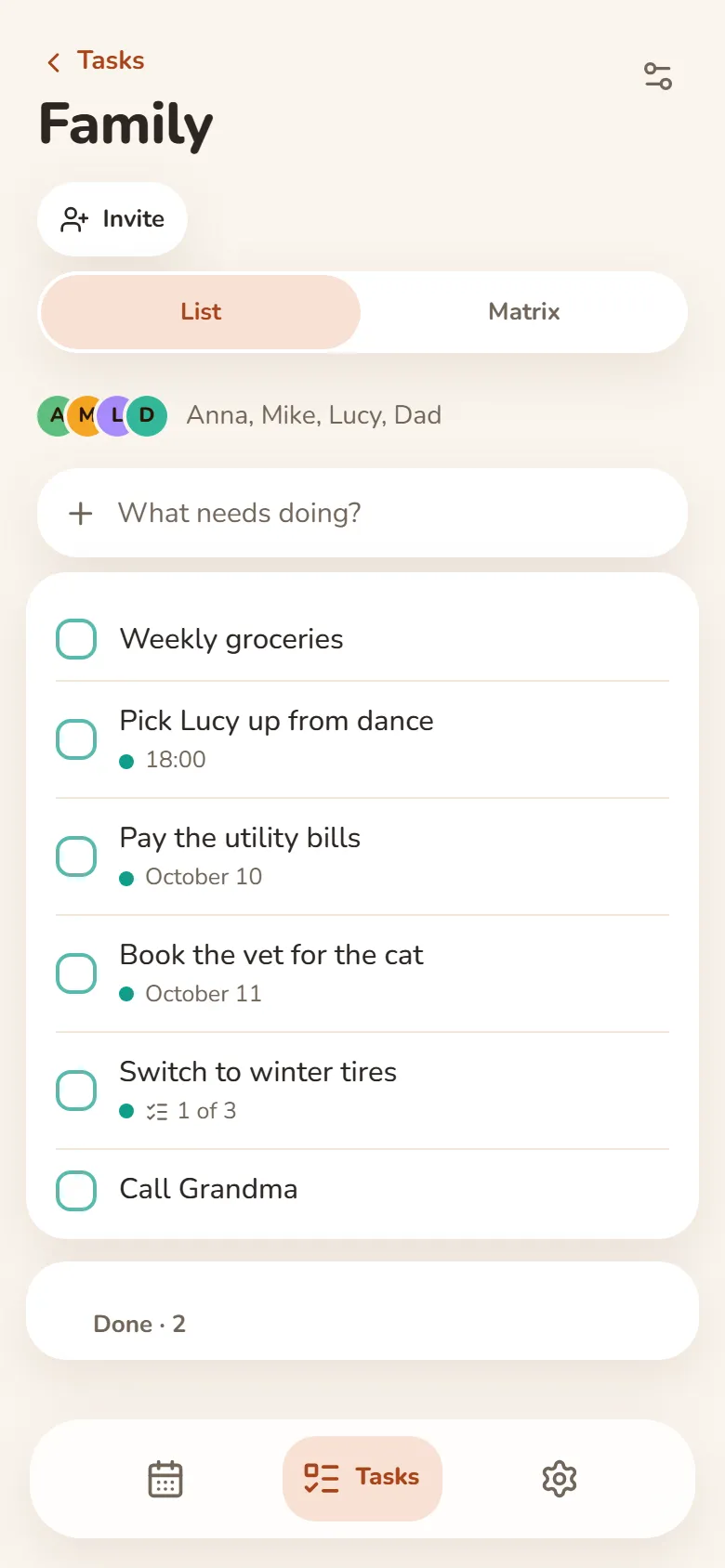
Shared tasks and schedules
- Shared task groups — everyone adds and ticks things off
- One class schedule for your whole group — up to 50 people
- A friend you allow sees your shift times — your earnings stay private
- Invite friends by link after signing in with Telegram or Google
Na wszystkich urządzeniach
Zaloguj się przez Telegram lub Google, a wpisy będą na telefonie i na komputerze. Działa też offline.
Zadania w nowej karcie
Plan na dziś w nowej karcie przeglądarki, z rozszerzeniem Bonjourr.
Jak zainstalować
To aplikacja internetowa: nie potrzeba sklepu z aplikacjami — dodaj ją na telefon lub komputer prosto z przeglądarki.
W przeglądarce
Nic nie trzeba instalować — po prostu otwórz ją na dowolnym urządzeniu.
Otwórz w przeglądarceiPhone i iPad
- Otwórz DayHeart w Safari
- Dotknij Udostępnij (w iOS 26 jest w menu „…”)
- Wybierz „Do ekranu początkowego”
Android
- Otwórz DayHeart w Chrome
- Dotknij ⋮ w prawym górnym rogu
- Wybierz „Zainstaluj aplikację”
Komputer
- Otwórz DayHeart w Chrome lub Edge
- Kliknij ikonę instalacji w pasku adresu
Windows
Aplikacja DayHeart na Windows — z widżetami na pulpicie.
Pobierz z Microsoft StoreTelegram
Otwórz bota @dayheartbot — aplikacja otworzy się prosto w Telegramie.
Otwórz w TelegramieSklepy z aplikacjami są w planach
App Store — w planachGoogle Play — w planach
Twoje dane
Twoje wpisy są na twoim urządzeniu, a po zalogowaniu także na koncie — dzięki temu masz je na wszystkich urządzeniach.
Większość wpisów z „Nastroju” można zaszyfrować na urządzeniu — wtedy nawet my nie możemy ich przeczytać. Leki i to, czego wymaga udostępnianie nastroju znajomym, pozostają widoczne dla serwera; klucz z twojego 12-słowowego kodu odzyskiwania nigdy do niego nie trafia.
Bez reklam. Nie sprzedajemy danych ani nie udostępniamy ich osobom trzecim, poza przypadkami opisanymi w polityce prywatności.